
Last Updated on November 1, 2026 by Daniel Osakwe
Review of the Dell Precision 7720 Laptop:
Table of Contents
FOR
- long battery life.
- Displays with vivid colors
- An ergonomic keyboard
AGAINST
- SSD performance issues
- Poor webcam
There are many reasons why you should consider buying a new laptop. You may be switching from a desktop to a laptop, or you might be looking for a new mobile workstation laptop to replace an old model. Or, perhaps you need a laptop for work. Whatever the reason, you have made the right choice.
Dell has a wide range of laptops to choose from, and the Dell Precision 7720 mobile workstation is one of them. It is a solid laptop that is reliable, powerful, and reasonably priced. If you are looking to buy a laptop, then this is the one for you.
Dell Precision 7720 Specs
| Bluetooth | Bluetooth 4.1 |
| Brand | Dell |
| CPU | Intel Xeon E3-1535M v6 |
| Card Slots | SD memory reader |
| Display Size | 17.3 |
| Graphics Card | Nvidia Quadro P3000 w/6GB GDDR5 |
| Hard Drive Size | 256GB |
| Hard Drive Type | M.2 PCIe SSD |
| Highest Available Resolution | 1920 x 1080 |
| Native Resolution | 1920×1080 |
| Operating System | Windows 10 Pro |
| Ports (excluding USB) | Headphone/Mic, Mini Display Port, security lock slot, USB 3.0, Smart Card Reader, Ethernet, Thunderbolt 3, HDMI-out |
| RAM | 8GB |
| RAM Upgradable to | 64GB |
| Size | 16.4 x 11.1 x 1.4 inches |
| Touchpad Size | 3.8 x 2.0 inches |
| USB Ports | 4 |
| Video Memory | 6 GB |
| Warranty/Support | Basic Service 3 Years Hardware Service with Onsite/In-Home Service After Remote Diagnosis |
| Weight | 7.6 pounds |
| Wi-Fi | 802.11ac |
| Wi-Fi Model | Dell Wireless 1820 802.11ac |


Dell Precision 7720: Architects
- Bulky
- Comfortable keyboards
- Attractive design
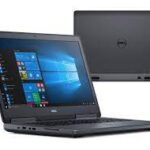
In a world without Acme anvils, Wile E. Coyote could simply drop the big, bulky Precision 7720 instead. Because of its size and weight, this notebook is too cumbersome to use in your lap, unless you love lifting weights.
No matter how hard it is to lift, the precision is easy on your fingers. Moreover, the soft keyboard deck and carbon-fiber-coated lid add to the overall comfort.
As far as weight and thickness are concerned, the Precision 7720 is similar to the 17.3-inch Lenovo ThinkPad P70 and bulkier than the MSI WE72 7RJ.
Compared to the 7720, the 15.6-inch Dell Precision 5520 is more portable, weighing 4.4 pounds with a thickness of 0.4 inches. The 15-inch ZBook Studio G3 weighs 4.6 pounds and measures 0.7 inches thick.
Port availability is one of the biggest benefits of behemoth-class laptops like the 7720. A USB 3.0 port, a Thunderbolt 3 port, an HDMI port, a Mini DisplayPort port, and a smart card reader are located on the left side of the computer. Right next to the SD card reader are three USB 3.0 ports, a headphone jack, a security lock slot, and three USB 3.0 ports. On the back, you’ll find an Ethernet jack and a power port.
Dell Precision 7720: Quality and security
- Extremely durable
- It offers lots of security and management options.
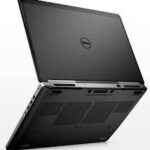
Travelers can rely on Precision 7720 to meet their needs. Dell claims the laptop has passed 15 MIL-SPEC durability tests, including those for extreme temperatures, dust blasts, shocks, and drops.
The 7720 offers many security and management options that IT managers will appreciate. It has a smart card reader as well as TPM encryption built-in. Also available are fingerprint readers and NFC sensors. It will also have Intel’s vPro remote management technology if you configure the laptop with a compatible CPU.
Dell Precision 7720: The display
- Offers vivid colors.
- Accurate colors
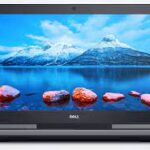
The Precision 7720’s optional 1920 x 1080-pixel display panel offers vivid colors and crisp details in our test unit. I noticed vivid red, blue, and gold tones in Spider-Man: Homecoming’s trailer, as well as grainy videotape footage of the vintage Captain America’s Fitness Challenge.
The Precision 7720 reproduces 126 percent of the sRGB spectrum (anything above 100 is considered good) according to our colorimeter. The reading is slightly higher than the category average of 122 percent and higher than the Dell Precision 5520 reading (113 percent). The HP ZBook Studio received a score of 169 percent, the ThinkPad P70 received a score of 158 percent, and the MSI WE72 received a score of 196 percent.
A score of 0.3 on the Delta-E test, indicating accurate colors, beats the 1.35 average for desktop replacements, as well as the scores from the ZBook Studio (2.4), the ThinkPad P70 (0.7), plus the Precision 5520 (1.5). The MSI WE72 came in second with a score of 0.4.
The Precision 7720 beats the 290-nit category average, along with the ZBook Studio G3 (241 nits), the ThinkPad P70 (277 nits), and the MSI WE72 (200 nits). It gets brighter still (335 nits). While looking at the screen at 45 degrees to the left or right, the display isn’t strong enough for the colors to remain vivid.
Dell Precision 7720: The keyboard, touchpad, and pointing stick
- Comfortable keyboard
- Tracks inputs accurately.
- A concave pointing stick
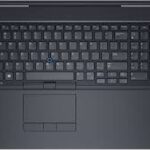
Users of the Precision 7720 can easily type and navigate the system with its input devices. On the 10fastfingers.com typing test, I was able to type 81 words per minute, exceeding my previous 80-wpm average. This key offers 1.8 millimeters of travel and requires 69 grams of force to activate; both measures fall within the range we hope to find (1.5 to 2.0 mm and 60 grams).
The notebook’s trackpad measures 3.9 x 2.0 inches and is flanked by two sets of left, right, and center buttons that provide a solid click with each click. Aside from tracking input accurately, it also accepts Windows 10’s three-finger gestures for navigation.
The Dell Precision 7720 comes with one of Dell’s concave pointing sticks. However, it still falls short of the standard held by Lenovo’s TrackPoint (found in the ThinkPad P70). It’s because, while Dell’s convex version may be more accurate, Lenovo’s convex version is easier to use and requires less effort.
Dell Precision 7720: Sound
- Clear sound
- It’s easy to control the volume.
The speakers in the Precision 7720 are loud enough to fill our large conference room. I wish the vocals (like Carly Rae Jepsen’s singing on “Run Away With Me”) were clearer with the variety of tracks.
Using Waves MaxxAudio Pro, I was able to correct that issue and achieve more balanced audio.
Dell Precision 7720: The performance
- Runs programs smoothly.
- The SSD could be better.
Our review configuration of the Precision 7720 included an Intel Xeon E3-1535M v6 CPU, 8GB of RAM, NVIDIA Quadro P3000 graphics, and a 256GB PCIe Class 40 SSD. The video on YouTube streamed smoothly while I had 15 Chrome tabs open, including Google Docs, Slack, and TweetDeck. Despite loading more apps, such as OneNote, Camera, Photo, and Edge, the system, which has a CPU designed for demanding programs, remained zippy.
Despite having a PCIe NVMe SSD, the Toshiba XG4 drive that Dell equipped it with was slow and significantly impacted the Precision 7720’s score on a number of tests. It could be faster if it were configured with a 512GB PCIe Class 50 SSD.
Despite its 11,402 scores on the Geekbench 3 general performance test, the Precision 7720 falls below the average of 15,833, as well as that of the ZBook Studio (Xeon E3-1505M v5, 32GB RAM), the ThinkPad P70 (Xeon E3-1505M v5, 16GB RAM), the MSI WE72 (Core i7-7700HQ, 32GB) and the Precision 5520 (Xeon E3-1505M v6, 32GB).
In 30 seconds, the Precision 7720’s 256GB M.2 PCIe SSD replicated 4.97GB of multimedia files at 169.64 MBps. Performance is higher on the ThinkPad P70 (848.2 MBps), MSI WE72 7RJ (848.2 MBps), and Precision 5520 (462.66 MBps).
Using OpenOffice Calc, the Precision 7720 took 4 minutes and 8 seconds to match 20,000 names with their addresses. The time is longer than the 3:26 category average, the ThinkPad P70 (3:23), the WE72 7RJ (3:22), and the Precision 5520 (3:08).
Dell Precision 7720: Graphics & Gaming
- Perfect for 3D modeling.
- Low VR-Ready Score
- It can handle high-end games.
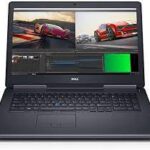
The Precision 7720 could be the perfect tool for 3D modeling. With the Nvidia Quadro P3000 GPU and 6GB of memory, the Precision scored 2,143 on the 3DMark Fire Strike Ultra test. The ZBook Studio (4GB Quadro M1000M) scored 825 points, the ThinkPad P70 (4GB Quadro M4000M) scored 1856 points, the MSI WE72 7RJ (4GB Quadro M2200) scored 1,324 points, and the Precision 5520 (4GB Quadro M1200) scored 980 points).
Our Precision 7720 played Metro: Last Light at 32 frames per second, clearing our 30-fps playability threshold. That’s below the 59-fps average for the category, but it’s smoother than the ZBook Studio (14 fps).
Don’t let Dell’s VR-Ready badge fool you. According to the SteamVR test, our test unit scored a 5.6, indicating that it just barely supports virtual reality and renders titles with lower fidelity. Other desktop-replacement notebooks score higher than this 9.1 average. If you want a solid VR experience, consider upgrading to the Quadro P4000 or P5000 GPU, which, respectively, cost $280 and $1,109 more than the P3000.
Dell Precision 7720: Battery Life
- Long-Lasting
- Charges fast
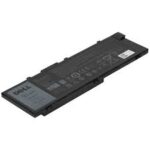
Despite its bulk, the Precision 7720 can survive for a while when not connected to an outlet.
During our Battery Test, the workstation’s battery drained in 9 hours and 34 minutes, which is longer than the average time for the category and the times for the ZBook Studio (5:08), ThinkPad P70 (5:53), and MSI WE72 (2:57). Even longer-lasting is the Precision 5520 (11:57).
Dell Precision 7720: Webcam
- Low-quality camera
You’d be surprised at how low the quality of the webcam is on a nearly $3,000 laptop. It’s like dining at a five-star restaurant with a plastic spork. The selfies I took on the notebook softened my face so much that I looked like a character from rotoscoped films like Waking Life and A Scanner Darkly.
Heat
- A good cooling system.
The Precision 7720 feels cool to the touch. In our heat run, the notebook’s touchpad (70.5 degrees), G and H keys (74.5 degrees), and underside (86 degrees) registered acceptable (below 95 degrees Fahrenheit) temperatures.
Software
Precision 7720 comes with a number of useful Dell utilities, including SupportAssist for system information and help, and Precision Optimizer for performance optimization. Additionally, it comes with all the bloatware that comes with Windows 10: Candy Crush Soda Saga, Sling TV, and Minecraft.
Configuration options
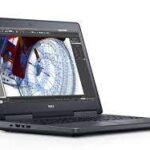
The Precision 7720 features an Intel Xeon E3-1535M v6 CPU, 8GB of RAM, discrete graphics from the Nvidia Quadro P3000, a 256GB SSD, and a 1920 x 1080-pixel display.
This is an upgrade from the $1,599 entry-level version, which comes with a Core i5-7300HQ processor, 8GB of memory, a 500GB, 7,200-rpm hard drive, integrated Intel HD 630 graphics, and a 1600 x 900-pixel display.
Dell offers a variety of displays with the Precision 7720, starting with a 1600 x 900-pixel panel, which isn’t too impressive for a laptop that costs at least $1,599. You should spend the extra $29 to upgrade to the 1080p panel we had on our review unit, which offers sharper images and better colors.
I recommend getting 32GB of RAM for $440 (bringing our config up to $3,303). The best CPU for demanding software is the Xeon E3-1505M v6, and the best graphics for VR is the Nvidia Quadro P4000, which costs at least $721.
Although the Precision comes with only a six-cell, 91-watt-hour battery, you have two options. For $50, you can upgrade to the “Long Life Cycle” battery. This battery will likely last longer than the default battery, with faster ExpressCharge recharging.
Final Words
The display on the Precision 7720 is stunning, the battery life is superior to that of most workstations, and the performance is adequate for 3D graphics work. Its SSD was significantly slower than any of the others we tested.
The Precision 5520 ($2,621) is a faster and longer-lasting alternative if you can live with a smaller screen and no VR. Nevertheless, if you’re looking for high performance and a giant screen, the 7720 is worth the investment.


