Last Updated on November 1, 2026 by Daniel Osakwe
Inteset INT-422 4-in-1 Universal Backlit IR Learning Remote Review
Pros
- Cheap
- Built-in support for Roku and other streaming devices.
- The initial setup of the device is simple.
Cons
- Programming more advanced commands takes time.
- Sometimes, learning is inconsistent.
- Streaming devices such as Amazon Fire TV are incompatible.
- It is impossible to turn off the backlight.
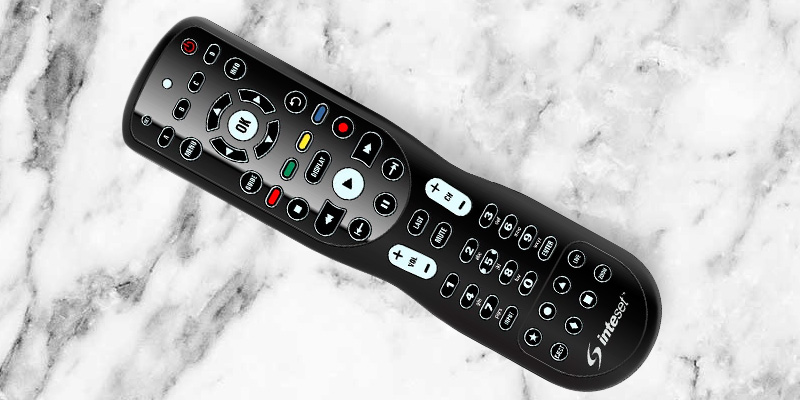
The Inteset INT-422 is a 4-in-1 universal remote control. It is not a simple extension of any other model and does not offer many functions, but it is very easy to program.
This model has an advanced IR protocol with two independent inputs that let you control two devices from one remote. It is suitable for those who do not want to buy a complicated universal remote control but prefer something simpler.
If you want to clear the clutter, you might find the Inteset 4-in-1 Universal Backlit IR Learning Remote useful. It has 32 commands you can program into one button, and it’s affordable, lightweight, and offers the convenience of being easy to use.
Our tests showed that this remote is a streaming-friendly device and has the ability to learn.
Table of Contents
Inteset INT-422: Specs
- Product Name: INT-422 4-in-1 Universal Backlit IR Learning Remote
- Product Brand: Inteset
- MPN: INT-422-3
- Weight: 9 oz.
- Product Dimensions: 9 x 3 x 2 in.
- Compatibility: Apple TV, Xbox One, Roku, Kodi.
- Connectivity: IR
- Warranty: 1 year
Inteset INT-422: Design
- Lightweight
- 32 Command buttons
- Simple design
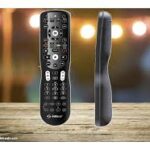
The design of the Inteset 4-in-1 remote control is not remarkable among remote controls. The standard size is 9 x 3 x 2 inches, and the weight is just 9 ounces. The shape of the remote is a bit cinched at the middle, which makes it look and feel ergonomic in the hand, and the back has a nice indentation as well for a better grip.
The directional buttons on the top of the remote may be too small for those with smaller hands-those with smaller hands will find them difficult to reach. Since we don’t have an antenna or cable TV, we found that most of the buttons on the remote end up being near the top.
The device is affordable, lightweight, and allows you to program 32 commands into one button.
However, the buttons are quite squishy and don’t spring back when pressed. As we programmed the remote, it sometimes seemed like we had to press down really hard to get it to register what we were trying to do.
In case there’s any doubt, the handy LED and backlighting are helpful indicators that the remote is working and responding.
Inteset INT-422: Setup Process
- It is simple to set up.
- Codes are easy to access.
- Compactible with lots of streaming devices.
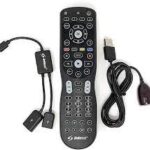
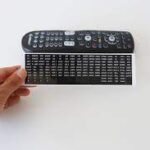
With Inteset, you have access to over 100,000 IR (infrared) codes. Visit universalremotes.net to access the database, which is necessary for setting up your media devices.
When you visit the site and navigate to the Code Lookup page, you can select your device type from the list based on your Inteset remote. The INT-422 series consists of just two remotes, and the device number can also be found on the back of the remote. As soon as you select a device type, you will be asked to choose your manufacturer from another list.
By a stroke of luck, we selected the first code on the list for the Toshiba smart TV, which turned out to be the right one. In less than a minute, we had our TV setup, following the five-step device programming instructions. Similarly, you can assign three other devices to the remaining letters by following the same steps.
Nonetheless, if you have a streaming device that is supported, you might not even have to lift a finger. There are presets for Xbox, Apple TV, Roku, and Windows Media Center/Kodi built into the remote, which is marketed as being streaming device friendly. By obtaining the setup code for your specific equipment, you can override any of these device controls.
However, if you intend to use the remote with a Fire TV or second-generation NVIDIA SHIELD, you will have to purchase an IReTV IR Receiver. If you have a Roku stick, you can’t use this remote at all. In the end, the initial device programming proved straightforward and in accordance with the user manual.
Inteset INT-422: Performance
- has the ability to learn.
- It includes quick-selection buttons.
- It is very compatible with streaming apps.
Another benefit of this remote is that it can be learned. According to the user manual, Inteset claims that this remote can learn between 42 and 75 buttons, but the exact range also depends on the IR code length of the buttons.
Although Roku is already programmed into the remote, we tested its ability to learn, unlearn, and override buttons. On the remote, there is a row of four buttons labeled with their colors: red, green, yellow, and blue. Roku has already assigned these colors specific shortcut functions, similar to how the Roku remote has a quick-selection button for Hulu or other specific apps.
Compared to more expensive smart remotes on the market, the Inteset 422-3 is a great deal at $27.
Our findings were a bit surprising. According to the manual, the head of the Inteset remote should face the head of the remote it’s learning from at a distance of about 2 inches. We found that distance to be much shorter. For the inset remote to successfully override three of the four color-coded buttons, it must be in contact with the “teaching” remote.
No matter how many times we tried to override the yellow button, we could not get it to move. Perhaps there is a memory limit. In the user manual, it does say that if you see a long flash instead of a quick double flash, the memory or battery may be low. Despite replacing the provided batteries with new ones, the problem persisted.
Additionally, we attempted to program a macro for a multi-step process for switching inputs and turning on the Roku. Until all commands were completed, we had to point the remote towards our AV equipment. Nevertheless, no flashing LED light indicated that any information was transmitted.
In spite of the relatively easy execution of basic button learning, we experienced less-than-consistent performance when trying to program more involved learning queues.
Price
At $27, the Inteset 422-3 is a great deal compared to other smart remotes. The Harmony Elite costs $350 and retails for nearly 13 times the price. If you’re not interested in a sophisticated smart-home controller, the Inteset 4-in-1 remote is a clever and affordable option. Despite the fact that you can buy a universal remote for less than $10, the Inteset isn’t just a cheap solution to remote clutter. If you have the patience and the right equipment, you can personalize it with streaming devices and IR learning.


Logitech Harmony 665 vs. Inteset 4-in-1 Universal Backlit IR Learning Remote
The Logitech Harmony 665 is a good starting point if you’re looking for a smarter remote. This model costs about $70, but it has a full-color screen that provides you with more insight into what you’ve programmed, and it also comes with the easy-to-use Harmony desktop software. Also, the Harmony 665 provides troubleshooting and support, which the INT-422-3 lacks, and NVIDIA SHIELD support without the need for additional equipment.
With the added capability of controlling ten devices at once, as well as accessing the Harmony 665’s library of over 270.000 devices, the 665 looks even more attractive. Neither remote supports Amazon Fire TV or Wi-Fi, and neither is truly “smart,” so they both require a fair amount of patience and technical expertise.
Final Verdict
For those who have a well-rounded entertainment system that includes streaming services, the Inteset 4-in-1 Universal Backlit IR Learning Remote is an affordable option. Despite being quick to set up the four devices that you’d like to control with this remote, you’ll have to spend some time learning how to use it.


