Last Updated on November 1, 2026 by Daniel Osakwe
Review of the Synology RT2600ac Wireless Router.
We have been using the RT2600AC for a little while now, and we are now ready to write a review of it. This is a dual-band gigabit router that also offers 4x WAN ports. In this review, we will be talking about the features, design, and performance of the RT2600ac Dual-Band Gigabit Wi-Fi Router.
The RT2600ac is part of the Synology product line of routers. It is a WiFi router that is compact and easy to use.
Table of Contents
Synology RT2600ac Wireless Router: Specs
- Product Name: RT2600ac Dual-Band Gigabit Wi-Fi Router
- Product Brand: Synology
- Weight: 1.54 lbs.
- Product Dimensions: 11 x 6 x 3 in.
- Warranty: Two years
- Compatibility: IEEE 802.11ac
- Firewall: Yes
- IPv6 Compatible: Yes
- MU-MIMO: Yes
- Number of Antennas: 4×4 MIMO Omni-directional high-gain dipole (2.4GHz / 5GHz)
- Number of Bands: Simultaneous dual-band
- Number of Wired: Ports4
- Chipset: 1.7 GHz Qualcomm IPQ8065
- Range: 2,000 sq. ft.
- Parental Controls: Yes
Synology RT2600ac Wireless Router: Design
- large feet
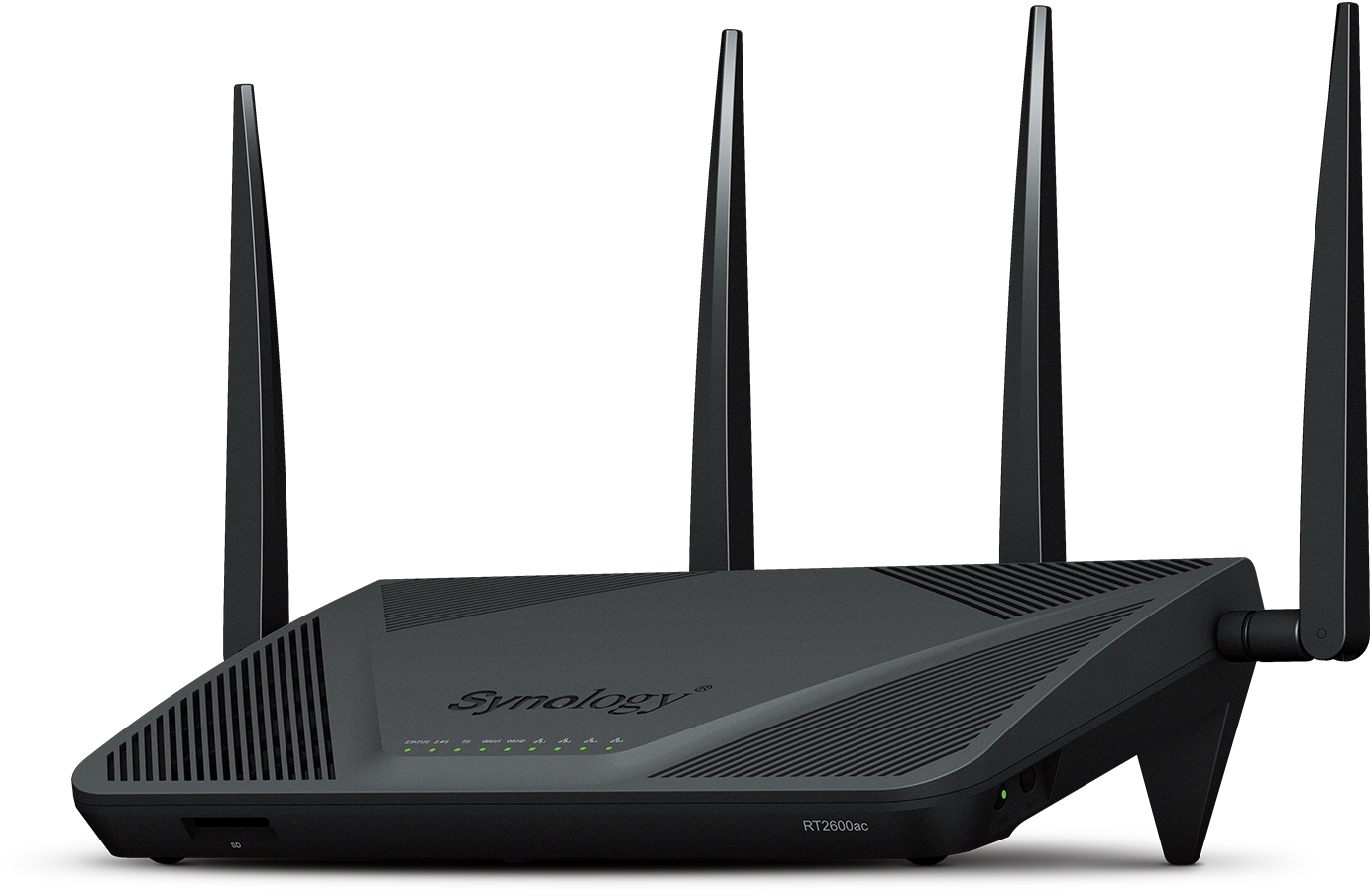
- Plain black design.
- Full suit indicator lights.
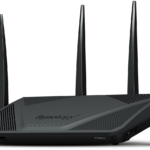
Synology’s RT2600AC has a plain black design that does little to distinguish it from the crowd. On the top of the device, you’ll find angled ventilation slots, as well as a full suite of indicator lights.
It is a quad-user multiple input, multiple output (MU-MIMO) router with four large antennas, two of which are mounted on the back and two on either side. Rotate the antennas 90 degrees, 135 degrees, and 180 degrees, then snap them into place.
Due to a raised foot on the back of the device, this router does not sit flat when placed on a flat surface.
An SD card is located on the front of the router, which can be used as network-attached storage (NAS). Additionally, the router features a USB port for the same purpose.
On the back of the device, you’ll also find a power button, a WAN port, and five LAN Ethernet ports. There are two USB ports and a media eject button on one side of the device, while a WPS and Wi-Fi button are on the other.
It doesn’t sit flat on a flat surface because of the raised foot on its back. The shape of the router may help with heat management, but it also makes wall mounting extremely difficult.
Synology RT2600ac Wireless Router: Setup Process
- Easy to setup
- Flexible
- Easy to control

The Synology RT2600AC was incredibly easy to set up. It only took a few minutes to set up the router, configure a network SSID, and select whether it should act as a router or an access point.
Synology’s RT2600AC has an impressive web-based dashboard that gives you a surprising amount of flexibility and control, but you don’t have to dig into it to set up your network.
Synology RT2600ac Wireless Router: Connectivity
- Mu-MIMO functionality
- high-speed connection
- Maximal wireless bandwidth
Synology’s RT2600AC is a dual-band AC2600 MU-MIMO router with a maximum wireless bandwidth of 2,533Mbps on the 2.4 GHz frequency and 1,733Mbps on the 5GHz frequency. A dual-WAN option is available so that two high-speed connections can be bonded. With the dual-WAN, you aren’t likely to see those speeds in real life, but you can check out the next section to see what you can expect in terms of speeds.
The router supports MU-MIMO, which is a technology that enables multiple devices to connect simultaneously, using different wireless standards, without experiencing any slowdown. Also, it supports automatic band steering to ensure that every wireless device in your network maintains the fastest and most reliable connection possible.
In theory, the Synology RT2600AC has a wireless bandwidth of 2.53Gbps, which is the theoretical maximum of an AC2600 MU-MIMO router.
Synology’s RT2600AC lacks Ethernet ports, but its feature set is fairly standard for a mid-range router. Besides the WAN port to connect to your modem, there are only four Ethernet ports. If you want to add a WAN port to one of those, you’ll have to find a switch to expand your capacity.
This router comes with an SD card slot, a USB 2.0 port, and a USB 3.0 port, so you can stream media or backup files. Despite being slow, the NAS works well enough.
Synology RT2600ac Wireless Router: Network Performance
- Fast wifi connection
- Good download and upload speeds.
Testing was performed extensively on both the wired Ethernet connection and the dual-band Wi-Fi connection of a Mediacom gigabit internet connection.
With a wired Ethernet connection, we were able to download data at a maximum speed of 470Mbps from the Synology RT2600AC. Using another router during the same test set, we recorded speeds of over 900Mbps, so the Synology unit fell short there.
Using our wireless device, we connected to the Wi-Fi network about three feet away from the router. The Ookla speed test app gave us an average of 394Mbps down and 59Mbps up. It was fast enough to stream 4K video and pretty much anything else, but it was about mid-range for routers we tested with this internet connection and this test machine.
I recommend this router to anyone looking for something that’s easy to set up but also has a lot of hidden potential.
Our next test was conducted about 15 feet from the router, behind a closed door. At that distance, we measured an average download speed of 357Mbps and an upload speed of about 62Mbps.
The next test was conducted 30 feet from the router, with two walls, furniture, and other items between our test device and the router. During this period, measured speeds dropped to an average of about 259Mbps, while upload speeds plummeted to 27Mbps.
Despite not being the fastest router we’ve tested, the Synology RT2600AC displayed speed and range that were sufficient for streaming video, playing games, and other internet tasks throughout our 1,800 square feet.
Although the Synology RT2600AC was designed to be used alone, it is fully compatible with Synology’s MR2200AC satellite routers. This means you can add one or more MR2200AC units to your network to create a mesh network and eliminate dead zones.
Software for the Synology RT2600ac Wireless Router
- Web console similar to Windows
- Improved software
- Easy to navigate.
Synology’s RT2600AC uses a Windows-like web console, which is a vast improvement over many of its competitors. Other settings can also be changed through a phone app, such as parental controls, guest networking, and basic wireless settings, but the most advanced features can only be accessed via the web console.
The web console has tiles covering the network center, control panel, package center, and help center. In the network center tile, you can check download and upload speeds at a glance, view a list of connected devices, set up traffic and parental controls, configure your wireless settings, and more. With the control panel, you can set up network-attached storage and network printers, and with the package center, you can install additional software.
In comparison to many of its competitors, the Synology RT2600AC has a Windows-like web console.
You can download cloud file sharing utilities, VPN utilities, and other things to increase the functionality of your Synology router.
Price
With its underlying technology, functionality, and performance, the Synology RT2600AC is a little pricey, with an MSRP of $240 and typically available for about $200. There are faster routers for about the same price, or even less, which makes the RT2600AC difficult to sell at its MSRP.
Some features of the Synology RT2600AC set it apart from other routers in this price range, such as its fantastic web portal and package manager, and its ability to be combined with the optional MR2002AC units in a mesh network.


Comparison (Synology RT2600AC vs. Netgear Nighthawk R7000P)
In comparison to the Synology RT2600AC, the Netgear Nighthawk R7000 has an MSRP of $220 but a street price closer to $165. As a dual-band MU-MIMO router, it has the same specs as the RT2600AC but is at a slightly slower theoretical max speed of 2.3Gbps, compared to 2.53Gbps for the RT2600AC. However, we found that the Netgear Nighthawk actually performed better during our in-house testing, with faster-wired speeds, faster wireless speeds, and better coverage.
There are fewer antennas on the Netgear Nighthawk, and it is also missing an SD card slot. We also prefer Synology’s web portal to Netgear’s. Even if you have little or no experience with routers, you can still add useful features like VPN integration thanks to the package manager feature.
| Pros | Cons |
| Good web interface | No wireless bridge support |
| Parental controls | Slow network storage |
| SD card slot. | It is difficult to mount on the wall. |
| USB port | |
| Long-range |
The Verdict
Despite a few minor issues, the Synology RT2600AC is a decent mid-range router. Our speed tests showed a bit of underperformance, but they still achieved decent results. Synology continues to improve this router with regular firmware updates and new packages to extend its functionality, as well as its ability to use it in a mesh network. If you’re looking for a router with a lot of hidden potentials but one that is easy to set up, this is worth checking out.