Last Updated on November 1, 2026 by Daniel Osakwe
Table of Contents
FOR
- Strong performance
- Accurate display
- Comfortable keyboard
- Durable design
AGAINST
- Mediocre battery life.
- Some fans’ noise
- Heavy for a 2-in-1
- Other mobile workstations have better graphics capability.
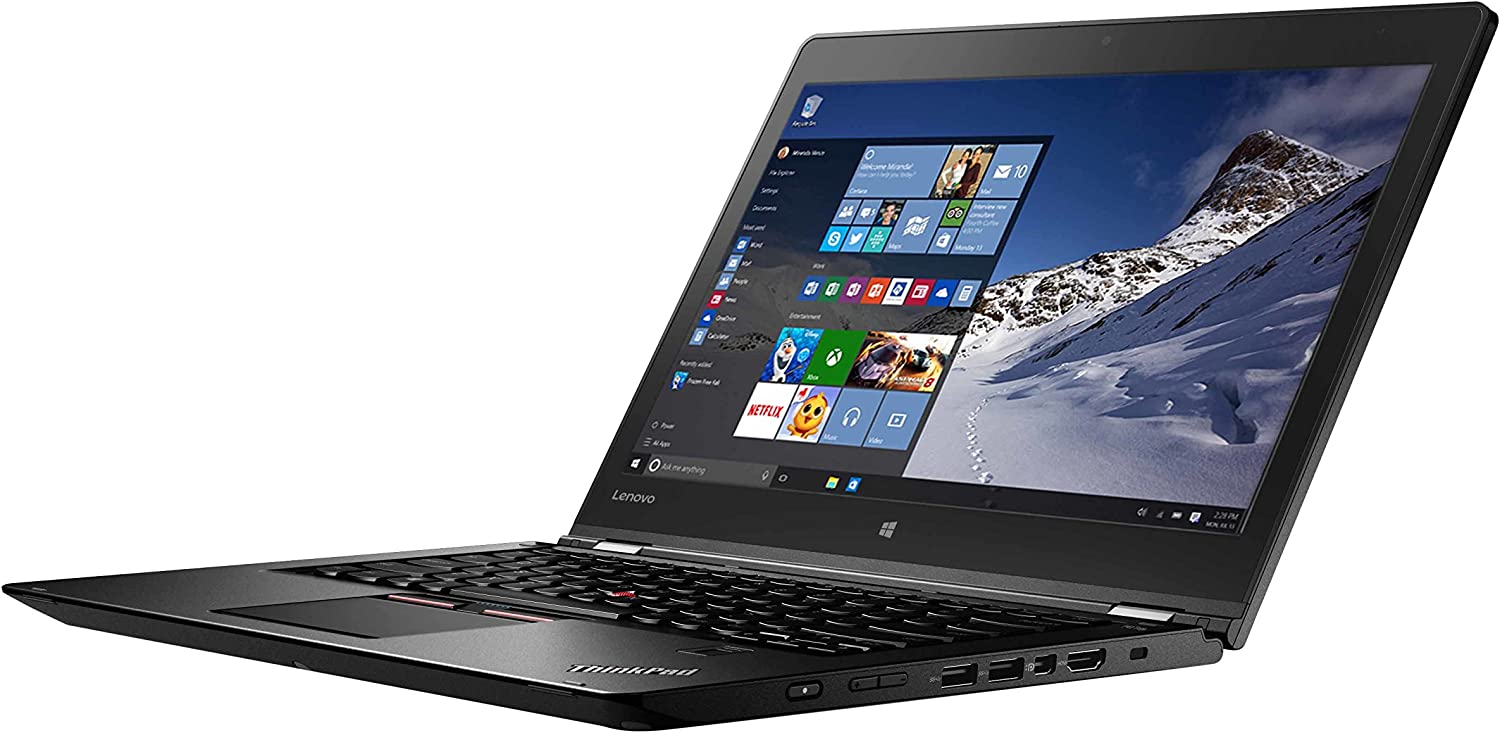
The Lenovo ThinkPad P40 Yoga mobile workstation was one of the first laptops to incorporate the design and features of the Lenovo Yoga Book. This laptop is a full-fledged ThinkPad laptop that features a full-sized keyboard and touchpad, along with a detachable screen that you can remove to turn the laptop into a tablet.
In this review, we’ll be taking a look at the Lenovo ThinkPad P40 Yoga laptop, and you’ll get to know why it’s regarded as one of the best mobile workstation laptops.
Lenovo ThinkPad P40 Yoga Specs
| Bluetooth | Bluetooth 4.1 |
| Brand | Lenovo |
| CPU | Intel Core i7-6600U |
| Card Slots | 4-1 card reader |
| Company Website | www.lenovo.com |
| Display Size | 14 |
| Graphics Card | Nvidia Quadro M500M |
| Hard Drive Size | 512GB |
| Hard Drive Type | SSD |
| Native Resolution | 2160 x 1440 |
| Operating System | Windows 10 Pro |
| Ports (excluding USB) | OneLink+, Mini DisplayPort, HDMI, Combo Headphone/Mic Jack, USB 3.0 |
| RAM | 16GB |
| RAM Upgradable to | 16GB |
| Size | 13.30 x 9.3 x 0.78 inches |
| Touchpad Size | 3.5 x 2.1 inches |
| USB Ports | 3 |
| Video Memory | 2GB |
| Warranty/Support | 1 year limited warranty |
| Weight | 3.96 pounds |
| Wi-Fi | 802.11 b/g/n/ac |
| Wi-Fi Model | Intel Dual Band Wireless-AC 8260 |


Architects: Lenovo ThinkPad P40 Yoga Mobile Workstation
Almost all ThinkPads have the same raven-black ThinkPad aesthetic, with the red TrackPoint pointing stick on the keyboard and the blinking status light on the logo providing the only splashes of color. The body is plastic, while the lid is made of carbon fiber and plastic.
The ThinkPad Yoga P40, like other ThinkPad Yoga laptops, has two tight hinges that allow it to fold up completely, transforming it into a tablet, tent, or stand. This laptop also has a Lift n’ Lock keyboard, which prevents the keys from depressing when not in clamshell mode.
The ThinkPad P40 Yoga measures 13.30 x 9.3 x 0.78 inches and weighs 3.96 pounds, so it’s not the most svelte 14-inch convertible on the market, but it’s noticeably lighter than 15-inch clamshell workstations. It weighs 4.6 pounds, but it is a little thinner than the HP ZBook Studio G3 (0.71 inches thick) and Dell Precision 5510.
On the other hand, Lenovo’s 14-inch ThinkPad X1 Carbon (only 0.66 inches thick) weighs only 2.8 pounds. Despite its larger display, and despite also being a bend-back 2-in-1, the 15-inch HP Spectre x360 weighs only 0.2 pounds more than the P40.
Lenovo ThinkPad P40 Yoga Mobile Workstation: Durability
The ThinkPad P40 Yoga, like most ThinkPads, can take a punch and keep on going. The laptop passed tests for extreme temperatures, shocks, vibrations, and humidity conducted by MIL-SPEC 810G, according to Lenovo.
All ThinkPad models are also subjected to an 8-corner drop test, an LCD stress test, and a lid/open/close test that occurs 30,000 times.
Lenovo ThinkPad P40 Yoga Mobile Workstation: Security
There are two security features that many corporate IT departments require, Intel vPro management and TPM encryption, both of which are standard on the ThinkPad P40 Yoga. Additionally, a swipe fingerprint reader is included for biometric login.
Lenovo ThinkPad P40 Yoga Mobile Workstation: Keyboard, TrackPoint, and Touchpad
Even though the ThinkPad P50’s feedback isn’t as good as that of the ThinkPad P40 Yoga, the keyboard is really comfortable to type on. Keys on the X1 Yoga have 1.7mm of vertical travel, whereas those on the HP ZBook Studio have 1.5mm, and those on the Dell Precision 5510 have 1.3mm.
When I took the 10fastfingers typing test using the P40, I achieved a strong score of 101 words per minute with a 0% error rate, far above my typical 96 words per minute, with 2% accuracy. In both low and high modes, the backlight was more than bright enough.
The P40 Yoga features a TrackPoint pointing stick between its G and H keys, just like most other ThinkPads. As always, the stick was extremely accurate, and I appreciated being able to move around the desktop without having to lift my hands from the home row.
The P40 Yoga has a 3.5 x 2.1-inch touchpad if you don’t like the little red nub. It wasn’t jerky when I selected an icon, drew figure eights in Windows Paint, or highlighted text in Google Docs. Three-finger swipes and pinch-to-zoom were both smooth.
Lenovo ThinkPad P40 Yoga Mobile Workstation: Pen Experience
The ThinkPad P40 Yoga includes a stylus, as does the Yoga 260. This 4.5-inch long pen is called the ThinkPad Pen Pro, and it lets you sketch on the screen with 2,048 levels of pressure. With a weight of less than an ounce, the stylus does feel light in my hand, but pressing the tip against the hard display for writing felt a little slippery. On the Yoga 260 and with Microsoft’s Surface tablets, I had a more paper-like experience with the same pen.
Despite some slickness, I was able to draw effortlessly in Windows Paint, highlight just the text I wanted on a website, and write handwriting without any hassle. Lenovo includes an application called WRITEit that lets you write directly on text areas in any application and have your handwriting read as ASCII characters.
Due to my poor handwriting, I found it easier to write in large fields like the canvas in WordPad than in smaller sections like the Windows 10 search box or the Chrome address bar. I found that WRITEit recognized my chicken scratch reasonably well, regardless of where I wrote it. Also, I enjoyed using WRITEit’s canvas feature, which let me take screenshots and add notes or highlights to them.
The P40 Yoga comes with an integrated bay for storing and charging the stylus, unlike many other devices that come with pens. In my tests, its battery life can last 19 hours with just 20 seconds of putting the pen in the bay, and in my tests, I never experienced any problems.
Lenovo ThinkPad P40 Yoga Mobile Workstation: Display
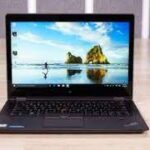
In spite of the touch screen’s glossy surface, the ThinkPad P40 Yoga’s 14-inch, 2560 x 1440 display provides clear images with accurate colors. In a 1080p trailer for Rogue One, I noticed fine details like freckles on Jyn Erso’s face. The black color was deep, contrasting with bright, lifelike shades like the green of the battle room lights or the orange of an X-Wing pilot’s jumpsuit.
According to our colorimeter, the P40 Yoga’s display is capable of reproducing 105 percent of sRGB’s color space (anything over 100 percent is great). This is higher than the 14-inch laptop category average (81 percent), but not nearly as high as the Precision 5510 (177 percent), the ZBook Studio G3 (169 percent), the ThinkPad X1 Yoga (109 percent), and the Spectre x360 (15 percent).
This is a significant improvement over the average 14-inch laptop’s (2.5) color accuracy score and most of its competitors (1.1). But the ThinkPad X1 Yoga is rated at 1.0 as well.
On our light meter, the P40 Yoga’s screen registered 260 nits of brightness. It’s just above the 14-inch laptop category average (250 nits), the ZBook Studio G3 (241 nits), and the HP Spectre x360 (246 nits). In contrast, the ThinkPad X1 Yoga (279 nits) and Dell Precision 5510 (322 nits) are brighter. While the colors remained true even as we leaned to the right and left, the panel reflected a lot of light, obscuring our view, even at a very modest 45 degrees.
Lenovo ThinkPad P40 Yoga Mobile Workstation: Audio
I was able to fill two adjacent rooms in my house with the P40 Yoga’s bottom-facing speakers, and the sound was good enough for listening to real music. Playing AC/DC’s “Hell’s Bells,”
It was easy to tell that the drum section was on the left and the guitar and vocals were on the right. Despite being at maximum volume, the percussion and guitar did not sound tinny, as they did on so many other laptops. Even more sweet was Chic’s bass-heavy rendition of “Good Times”.
If you want to manually adjust the equalizer, you can do so using the included Dolby Audio software, which includes profiles for music, movies, voices, and gaming. Music mode sounded best, but Dynamic mode, which adjusts output based on content, also did well.
Lenovo ThinkPad P40 Yoga Mobile Workstation: Ports and Webcam
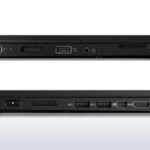
In the ThinkPad Yoga P40, there is a wide range of ports, but there is no Ethernet connection, which many business users still require, and there are no USB Type-C/Thunderbolt 3 ports, which appear on a number of mobile workstations, including the ThinkPad Yoga P50.
There are two HDMI-out ports, two USB 3.0 ports, a mini DisplayPort, a Kensington lock slot, and a power button on the right side. There is an SD card reader, Lenovo’s OneLink+ docking port, an audio jack, and a third USB 3.0 port on the left side.
In our tests, the laptop’s 720p webcam produced sharp, colorful images.
I captured a selfie that showed the green wall behind me, the red letters on my shirt, and the hairs on my beard clearly. Even after turning off the lights, I could still see my face clearly for a video call.
Lenovo ThinkPad P40 Yoga Mobile Workstation: Performance
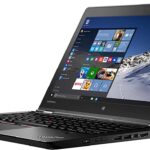
Our review configuration of the ThinkPad P40 Yoga features an Intel Core i7-6600U processor, 16GB of RAM, Nvidia Quadro M500M graphics, and a 512GB SSD. The Lenovo laptop handled everything we threw at it easily, including a multitasking session with 14 Chrome tabs open and a video playing in another window. However, it’s not surprising that more powerful workstations that aren’t 2-in-1s did better in our tests.
According to Geekbench 3, which measures overall processing power, the P40 Yoga scored a solid 6,740. These numbers are comfortably higher than the 14-inch laptop category average (6,402) and the HP Spectre X360 15t with a Core i5-6200U (6,376). Although both the HP ZBook Studio G3 (14,276) and Dell Precision 5510 (14,316) scored significantly higher than the HP ZBook because of their more powerful Intel Xeon E3-1505M CPUs. It’s somewhat surprising that the Core i7-6400-equipped ThinkPad X1 Yoga scored higher (7,064) despite its marginally slower CPU.
Lenovo’s convertible workstation performed better on our spreadsheet macro test, matching 20,000 names with addresses in just 3 minutes, and 42 seconds. This is significantly faster than the category average (6:03), the ThinkPad X1 Yoga (4:31), and the Spectre X360 (4:31). There wasn’t much difference between the ZBook Studio (3:23) and the Precision 5510.
On the Laptop File Transfer test, it took just 17 seconds for the P40 to copy 4.97GB of files, a rate of 295.7 MBps, on the 512GB SATA SSD. Compared to the category average (124.4), ThinkPad X1 Yoga (186.2), and Spectre x360 (149.7), this is faster, but far behind the ZBook Studio (508.9) and Precision 5510 (565).
Graphics on the Lenovo ThinkPad P40 Yoga Mobile Workstation
Several high-end graphics applications, such as AutoCAD, can be used with the ThinkPad P40 Yoga’s Nvidia Quadro M500M graphics processor. On the synthetic test 3DMark Ice Storm Unlimited, which measures graphics performance, it scored an impressive 87,341.
This is much better than the category average (65,946) and the integrated Intel GPUs on the X1 Yoga (70,475) and the Spectre x360 (64,632). Despite this, the ZBook Studio (117,745) and Precision 5510 (117,636) both performed much better thanks to the more powerful Quadro M1000M GPUs.
Battery Life
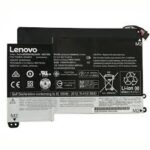
In terms of battery life, the ThinkPad P40 Yoga trails other 2-in-1s and 14-inch laptops by a wide margin but is better than other mobile workstations. During the Laptop Battery Test, which involves continuous surfing over Wi-Fi, Lenovo’s laptop lasted 6 hours and 35 minutes.
The ThinkPad X1 Yoga runs in 7:52 for the Core i7 version, which is several seconds slower than the average for the 14-inch laptop category (7:56). Nevertheless, both the Precision 5510 (5:34) and the ZBook Studio G3 (5:08) lasted much shorter.
Heat and Noise
During our tests, the ThinkPad P40 stayed cool, but it wasn’t always quiet. In 15 minutes of streaming video, the touchpad registered 79 degrees, the keyboard measured 83.5 degrees, and the bottom measured 95 degrees Fahrenheit. We consider temperatures between 95 and 95 degrees to be comfortable.
The laptop’s fan often made a subtle but scratchy noise as I was writing this review and surfing the web. In general, laptops have a fan, but I rarely hear it unless I’m doing something intensive.
Software and Warranty
Several useful first-party applications and a minimal amount of bloatware are preinstalled on the ThinkPad P40 Yoga. The laptop features WRITEit for pen input and Dolby Audio for adjusting sound, as well as Lenovo Settings, which lets you customize the keyboard, Wi-Fi, webcam, and other key components.
Lenovo Companion is also included with the P40 and is capable of scanning hardware and searching for software updates to keep your laptop running smoothly.
As with almost every Windows laptop, the P40 Yoga comes with Flipboard and Candy Crush Soda Saga stuffed into the Start Menu. You can also access the Adobe Photoshop Express page in the Windows Store from the tile.
The ThinkPad P40 Yoga is covered by a standard one-year limited “depot” warranty that includes parts and labor as well as return shipping. Add features such as accidental damage protection or a warranty extension of up to five years for prices ranging from $19 to $649.
Configuration Options
The ThinkPad P40 Yoga is priced at $1,484. This laptop comes with an Intel Core i7-6500U processor, a 1080p screen, Nvidia Quadro M500M graphics, 8GB of RAM, and a 256GB SSD. On Lenovo.com, you can customize the system by adding a faster Core i7 CPU, a QHD display, more RAM, or a larger SSD. We reviewed a $2,028 configuration with a Core i7-6600U CUP, a 2560 x 1440 display, 16GB of RAM, and a 512GB SSD.
Final Words
At the same time, the ThinkPad Yoga P40 delivers a unique value proposition: graphics professionals can have their 2-in-1 hybrid and do compute-intensive work as well. In addition to its excellent performance and even better build quality, Lenovo’s laptop has an accurate display, a comfortable keyboard, and strong stylus support.
A nonconvertible 15-inch workstation like the Dell Precision 5510 ($1,399 to start) with a Xeon CPU and Quadro M1000M graphics will give you the best performance. In contrast, Lenovo’s own X1 Yoga is much lighter and lasts longer on a charge than the P40, but it does not have Quadro graphics or a Core i7 processor. The ThinkPad Yoga P40 is your best bet if you prefer a 2-in-1 that can run 3D modeling software while also being flexible enough for sketching.


