Last Updated on November 1, 2026 by Daniel Osakwe
List of The best laptops for Graphic Design
| Products | Features | Where to Buy |
| MacBook Pro (16-inch, 2019)
|
Graphics: AMD Radeon Pro 5300M – Radeon Pro 5500M | RAM: 16GB – 64GB | Screen: 16-inch Retina display with True Tone | Get it on Amazon |
| Dell XPS 15 (2020)
|
Graphics: Intel Iris Plus Graphics – Nvidia GeForce GTX 1650 Ti | RAM: 8GB – 64GB | Screen: 15.6″ FHD+ (1920 x 1200) IPS – UHD+ (3840 x 2400) | Get it on Amazon |
| Acer ConceptD 7
|
Graphics: NVIDIA GeForce RTX 2060 – 2080 | RAM: 16GB – 32GB | Screen: 15.6″ 4K UHD (3840 x 2160) 16:9 IPS | Get it on Amazon |
| MacBook Pro (13-inch, 2020)
|
Graphics: Intel Iris Plus Graphics 645 | RAM: up to 32GB | Screen: 13-inch Retina display with True Tone | Get it on Amazon |
| Dell XPS 13 (Late 2020)
|
Graphics: Up to Intel Iris Xe Graphics | RAM: Up to 32GB 4267MHz LPDDR4x | Screen: 13.4″ FHD+ (1920 x 1200) InfinityEdge Non-Touch Anti-Glare 500-Nit – 13.4″ UHD+ (3840 x 2400) InfinityEdge Touch Anti-Reflective 500-Nit Display | Get it on Amazon |
| Microsoft Surface Book 2
|
Graphics: Intel UHD Graphics 620 – NVIDIA GeForce GTX 1060 | RAM: 16GB | Screen: 15-inch PixelSense (3240×2160) | Get it on Amazon |
| Lenovo ThinkPad P1
|
Graphics: Nvidia Quadro P1000 / P2000 | RAM: 8GB-64GB | Screen: 15.6″ Full HD (1,920 x 1,080) | Get it on Amazon |
| Dell Precision 3540
|
Graphics: Intel UHD 620 / AMD Radeon Pro WX 2100 2GB | RAM: 8GB | Screen: 15.6-inch Full HD (1,920 x 1,080) | Get it on Amazon |
| Apple MacBook Pro (15-inch, 2019)
|
Graphics: AMD Radeon Pro 555X – Radeon Pro Vega 20, Intel UHD Graphics 630 | RAM: 16GB | Screen: 15.4-inch, (2,880 x 1,800) IPS | Get it on Amazon |
| Huawei MateBook X Pro
|
Graphics: Intel UHD Graphics 620 , Nvidia GeForce MX150 2GB GDDR5 | RAM: 8GB – 16GB | Screen: 13.9-inch 3K (3,000 x 2,080) | Get it on Amazon |
Looking for the best laptops for graphic design to buy? You just found the right place. Graphic designers are known to spend quality time with computes trying to create a superb image. The software’s being used to achieve these usually take a lot of space on the system and would require a high-speed processor to run effectively.
The laptops we’ve highlighted below are the best laptops for graphic design. They’ve been specially selected because of their construction and configurations. Without wasting much time, why not take a look at the list of laptops we’ve selected to meet your graphic design needs.
Table of Contents
Buyers Guide: What to Look for in Laptops for Graphic Design Before Buying
Power versus Portability: While selecting laptops for graphic design, you’ll need something that is slight and light enough to toss in your backpack, yet in addition adequately amazing to run your set-up of imaginative apparatuses.
macOS or Windows: In terms of the Operating system, you need to conclude which is ideal for you. The previous used to be the staple of creative experts, however, it truly doesn’t make a difference what stage you utilize nowadays. Whatever your inclinations, every one of the machines here will give you all the power and execution you require to waste no time with your best-in-class venture.
Best Graphic Design Laptops Review
MacBook Pro (16-inch, 2019)
CPU: 9th-generation Intel Core i7 – i9 | Graphics: AMD Radeon Pro 5300M – Radeon Pro 5500M | RAM: 16GB – 64GB | Screen: 16-inch Retina display with True Tone | Storage: 512GB – 8TB SSD
| Pros | Cons |
| Stunning 16-inch screen | Expensive |
| New and improved keyboard |

Dell XPS 15 (2020)
CPU: 10th-generation Intel Core i5 – i7 | Graphics: Intel Iris Plus Graphics – Nvidia GeForce GTX 1650 Ti | RAM: 8GB – 64GB | Screen: 15.6″ FHD+ (1920 x 1200) IPS – UHD+ (3840 x 2400) | Storage: 256GB – 1TB SSD
On the off chance that you’re after the best Windows 10 PC for graphic design, at that point we suggest the Dell XPS 15 (2020). Dell’s most recent lead PC is probably as near wonderful as you can get, pressing a portion of the most recent segments into a slim and light plan that is as beautiful to take a look at as it is anything but difficult to move around.
It accompanies a staggering 15.6-inch display, which can arrive in a scope of extremely high resolution, settling on it a magnificent decision for graphic designers who are hoping to purchase another PC. Surprisingly for a PC this slight, likewise accompanies a discrete Nvidia graphics card in specific arrangements, which is again ideal for visual architects who will be utilizing this PC for serious visual depiction work.
Maybe the best part is that its battery life is fantastic, which implies you don’t need to be fastened to a work area on the off chance that you need to utilize this incredible PC.
| Pros | Cons |
| Eye-catching design | The 15-inch screen might be too large for some |
| Fast performance | GTX 1650 Ti is a little weak |
Acer ConceptD 7
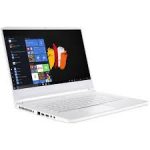
CPU: 9th-generation Intel Core i7 | Graphics: NVIDIA GeForce RTX 2060 – 2080 | RAM: 16GB – 32GB | Screen: 15.6″ 4K UHD (3840 x 2160) 16:9 IPS | Storage: 1TB
The Acer ConceptD 7 is a splendid MacBook Pro other option, offering on occasion better execution, in a smart plan, and for less cash than Apple’s very good quality PCs. With the Nvidia RTX graphic, this is a PC that has been fabricated explicitly for inventive professionals, with a Pantone-approved 4K IPS display, a lot of ports, and a smooth plan.
This is as yet a costly PC, yet the degree of intensity on the proposal here joined with Acer’s incredible form quality, makes this a phenomenal speculation for graphic designers searching for a laptop that will last them for quite a long time to come.
See our review: Acer ConceptD 7
| Pros | Cons |
| Cheaper than MacBook Pro | Not as thin and light as MacBook Pro |
| Good selection of ports | Expensive |
MacBook Pro (13-inch, 2020)
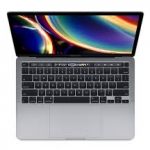
CPU: 8th-generation Intel Core i5 – 10th-generation Intel Core i7 | Graphics: Intel Iris Plus Graphics 645 | RAM: up to 32GB | Screen: 13-inch Retina display with True Tone | Storage: 256GB – 4TB SSD
In case you’re a graphic designer who needs a MacBook Pro, however, are subsequent to something a smidgen more convenient than the 16-inch model, at that point, the current year’s Apple Macbook Pro 13″ (2020) is the ideal PC for you. You can arrange it to accompany the most recent Intel processors and quicker RAM, which implies this is an unimaginably quick PC that can deal with basically any visual computerization application you’d need to utilize.
It’s additionally got another keyboard, which implies keyboard gives that tormented past models should be a relic of days gone by, and it’s totally enveloped with a beautifully planned smooth body. There’s no discrete GPU, dissimilar to the 16-inch model, however that shouldn’t be an issue except if you will do some serious visual communication work.
Read the full review: MacBook Pro (13-inch, 2020)
| Pros | Cons |
| Larger capacity SSD for starting model | You still only get Thunderbolt 3 ports |
| The new keyboard is great |
Dell XPS 13 (Late 2020)
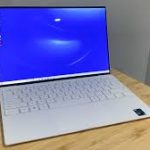
CPU: Up to 11th Generation Intel Core i7-1165G7 | Graphics: Up to Intel Iris Xe Graphics | RAM: Up to 32GB 4267MHz LPDDR4x | Screen: 13.4″ FHD+ (1920 x 1200) InfinityEdge Non-Touch Anti-Glare 500-Nit – 13.4″ UHD+ (3840 x 2400) InfinityEdge Touch Anti-Reflective 500-Nit Display | Storage: Up to 2TB M.2 PCIe NVMe
Dell’s most recent Dell XPS 13 (2020) is one more winner from the PC maker. It’s dainty, light, and simple to haul around, yet underneath its polished plan are probably the most impressive versatile segments you’ll discover in a PC in 2020. This implies it’s a PC that can deal with visual depiction assignments easily, while its stunning screen will make your tasks look their absolute best.
The best part is that gratitude to the more productive Intel processor this new Dell XPS 13 uses, battery life is additionally great, which implies you can continue working on this PC for quite a long time without searching for a power connector. It’s costly, however worth each penny for visual planners that need the absolute best laptop for their work.
See our review: Dell XPS 13
| Pros | Cons |
| Stunning design | The sound quality is just OK |
| Excellent battery life | Pricey |
Microsoft Surface Book 2
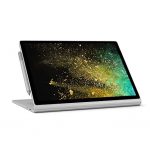
| Pros | Cons |
| Amazing color-accurate screen | Surface Pen not included |
| Doubles as a tablet | Expensive |
Lenovo ThinkPad P1
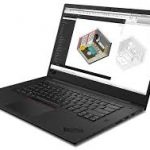
CPU: Intel Core i5, Core i7, Core i9 or Xeon | Graphics: Nvidia Quadro P1000 / P2000 | RAM: 8GB-64GB | Screen: 15.6″ Full HD (1,920 x 1,080) | Storage: 256-4TB SSD
The Lenovo ThinkPad P1 is one of the most impressive Windows PCs around and is pointed solidly at significant level substance makers. It gives you the choice of an Intel Xeon processor and an expert evaluation Nvidia Quadro P2000 designs, up to 64GB of memory, and has all the ports you could require (two USB 3, two USB-C Thunderbolt 3, an HDMI 2.0, DisplayPort, and SD card reader).
This machine sports a smooth plan, with a thin skeleton and a 4K display with 100% AdobeRGB inclusion. The screen alone makes it a delight for innovative work, yet with all the exhibition it offers as well, the ThinkPad P1 is a genuinely decent laptop for graphic designers.
| Pros | Cons |
| Fantastic screen | Expensive |
| Slim design |
Dell Precision 3540
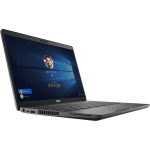
CPU: Intel Core i5 | Graphics: Intel UHD 620 / AMD Radeon Pro WX 2100 2GB | RAM: 8GB | Screen: 15.6-inch Full HD (1,920 x 1,080) | Storage: 256GB SSD
| Pros | Cons |
| Large display | only 8Gb ram |
| Discrete AMD graphics |
Apple MacBook Pro (15-inch, 2019)
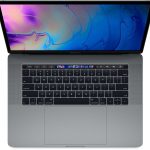
CPU: Intel Core i7 – i9 | Graphics: AMD Radeon Pro 555X – Radeon Pro Vega 20, Intel UHD Graphics 630 | RAM: 16GB | Screen: 15.4-inch, (2,880 x 1,800) IPS | Storage: 256GB – 4TB SSD
Apple is on incredible structure with its 15-inch MacBook Pro 2019. On the off chance that you need sheer power – and have the money – this is a standout amongst other graphic design PCs you can get. Focused on inventive experts, on its delivery, this was the most impressive MacBook gadget ever made, with more RAM, a decision of six and eight-core Intel processors, and better discrete designs cards. It likewise accompanies blisteringly quick SSDs and a calmer keyboard. This makes this model an extraordinary gadget and effectively probably the best PC for graphic design, regardless of whether there are fresher MacBooks out there.
Be that as it may, it’s not all uplifting news. On the disadvantage, there are only four USB-C ports and one earphone jack port, so you’ll require a connector on the off chance that you need to connect an Ethernet cable or inheritance equipment. And keeping in mind that the screen is totally stunning, 4K would have been pleasant. By the by, the Apple MacBook (2019) gives you the CPU and memory torque to make mincemeat of huge documents and complex errands – and it totally looks like it as well.
It’s likewise significant that the 15-inch model, while still accessible to purchase, has been supplanted by the bigger 16-inch model (which is our pick for the best laptop for graphic design). In any case, this implies you could locate some incredible arrangements for the 15-inch model.
See our review: Apple MacBook Pro 15-inch
| Pros | Cons |
| Great performance | Not a huge generational leap |
| Great design |
Huawei MateBook X Pro
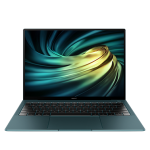
CPU: 8th generation Intel Core i5 – i7 | Graphics: Intel UHD Graphics 620 , Nvidia GeForce MX150 2GB GDDR5 | RAM: 8GB – 16GB | Screen: 13.9-inch 3K (3,000 x 2,080) | Storage: 512GB SSD
Huawei may not be the main name that comes into view while thinking about the best workstations for visual communication, however, with the Huawei Matebook X Pro, the Chinese organization has demonstrated it has the stuff to go head to head with the greatest names in the PC market.
This is a beautifully planned PC with a shocking screen (though with a fairly odd perspective ratio), and it comes pressed with cutting-edge parts that permit it to perform splendidly and a battery life that totally dominates huge numbers of its rivals. It has a plan and execution that equals the strong MacBook Pro.
Likewise, it runs Windows 10, so you can install all the digital craftsmanship apps you’re accustomed to utilizing.
| Pros | Cons |
| Great display | no SD card slot |
| Good battery life |
Apple MacBook Air (2020)
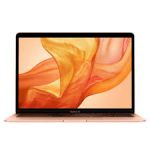
CPU: 10th generation Intel Core i3 – i7 | Graphics: Intel Iris Plus Graphics | RAM: 8GB – 16GB | Screen: 13.3-inch (diagonal) 2,560 x 1,600 LED-backlit display with IPS technology | Storage: 256GB – 2TB SSD | Dimensions: 11.97 x 8.36 x 0.63 inches (30.41 x 21.24 x 1.61cm; W x D x H)
After a truly necessary refresh, the Apple MacBook Air has had a couple of decision refreshes that make it a genuine winner for graphic design work. In spite of the fact that it’s not exactly the power to be reckoned with the MacBook Pro is (or some top of the line Windows workstations), it currently has a splendid Retina display, which is an incredible redesign over the dated screen in the old Air and better for working with visual depiction programming.
New tenth gen Intel processors in the 2020 model are a lot quicker and will adapt to Photoshop, Illustrator, etc easily. In any case, Apple has reasonably guaranteed the Air is as convenient as could be expected, with a truly lightweight plan that settles on it an extraordinary decision for designs chip away at the go. In any case, it’s critical to take note that the section level model of MacBook Air (2020) doesn’t accompany the new Intel tenth, gen processors.
All things being equal, it sticks with eighth-gen processors and more slow RAM, making it not as great a visual computerization PC as the more costly models.
| Pros | Cons |
| Great design | lacks port |
| Affordable |
HP ZBook X2
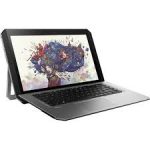
CPU: Intel Core i7 | Graphics: NVIDIA Quadro M620 with 2GB dedicated GDDR5 graphics memory | Memory: 32GB RAM | Screen: 15-inch 1920×1200 | Storage: 512GB SSD
Made explicitly considering creatives, the HP ZBook x2 packs a genuine measure of intensity, and with it a pretty heavy sticker price. Be that as it may, if cash is no issue and you’re thinking about relinquishing a work area or PC as an essential inventive apparatus, the HP ZBook X2 merits a look. It flaunts some truly noteworthy architect-centered specs, including a staggering 10-cycle, 100% Adobe RGB, 4K multi-contact UHD dream color display, and additional ports to keep you all around associated.
It additionally comes pre-installed with Adobe’s Creative Cloud work area application for simple access, and sports a completely separable Bluetooth keyboard so you can change from PC to tablet at whatever point motivation strikes. That is totally sponsored up with the intensity of an Intel Core i7 processor, 32GB RAM – double that of its Microsoft rival – and NVIDIA Quadro graphics. Notwithstanding, power requires more squeeze, so battery life on the ZBook2 is more limited than a portion of different workstations included in this rundown.
It’s additionally heavier than a portion of its opposition, which isn’t ideal when you’re in a hurry. All things considered, while the X2 doesn’t come modest, it’s as yet a genuine choice for originators hoping to free themselves from a work area without settling on applications and execution.
| Pros | Cons |
| Huge RAM capacity | Bulky |
| 4K multi-touch Dream color display | Expensive |
Microsoft Surface Laptop 3
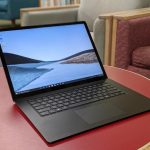
CPU: Intel Core i5 – i7 | Graphics: Intel UHD Graphics 620 | RAM: 8GB – 16GB | Screen: 13.5-inch PixelSense (2,256 x 1,504) | Storage: 128GB, 256GB, 512GB or 1TB SSD
The Microsoft Surface Laptop 3 is Microsoft’s most recent very good quality PC, and it’s indeed an extraordinary gadget for graphic design students and experts. The new Surface Laptop 3 accompanies helped equipment for better execution, and it’s completely enveloped with a flawlessly planned body.
Likewise, with its archetypes, even the least end model is incredible enough to run Photoshop and Illustrator consistently, and the reality you can utilize the discretionary Surface Pen to draw straightforwardly on screen makes it significantly all the more engaging.
You get the full Windows 10 experience, which implies you can install Creative Cloud applications and different projects without any problem.
| Pros | Cons |
| Touchscreen sketching | Pricey |
| Durable battery | Few ports |
Test Process
More analyses of these laptops for graphic design were uncovered from further research and online reviews. From the result and feedback (both positive and negative), we were able to categorize each product according to our standards.
If you take a critical look at our review, you’ll discover the manner in which each graphic design laptop has been categorized. Also, take note that after our testing, the laptops that weren’t up to standard were excluded from our list.
Frequently Asked Questions
How much RAM do I need for graphic design?
The more RAM you have, the more things you can measure without a moment’s delay since it’s quicker than going to the hard drive for the records being used. You’ll need, at least, 8Gb of RAM; more on the off chance that you can bear the cost of it. Your cash would be greatly improved spent on RAM. 16 or even 32 gigs will make your work fly by.
Should I buy a laptop or desktop for graphic design?
By and large, workstations can be overhauled with more RAM, as they have more openings accessible. In the event that you have a committed GPU (graphic card), PC GPUs have a speed of 70-80% of work area GPUs. Work area GPUs are by and large of a higher caliber, too. Discover the amount of RAM you truly need for basic visual depiction programming.
Do graphic designers use Mac or PC?
Taking everything into account, there is no critical distinction in the product accessible for the Mac or PC. Since the Mac is regularly viewed as the planner’s PC, there are some helpful apparatuses and applications that are Mac-as it were.
Conclusion
Getting the best graphic design laptops wouldn’t be stressful anymore (thanks to the list of the best laptops for the graphic design we’ve compiled above). Having read our review, if you’ve found one or two laptops above that you’ll like to buy, ensure you check the necessary features of your preferred choice before purchasing.