Last Updated on November 1, 2026 by Daniel Osakwe
HyperX Cloud Flight Headset Review
Table of Contents
Pros
- Excellent battery life
- Simple design
- Comfortable ear cups and headband
Cons
- Sound quality varies between platforms
- 3.5mm headphone cord not included
- Lacks Software
The days of cheap, budget headsets are long gone, and that’s a good thing. The days of headsets that make you look like a clown when you’re trying to enjoy your favorite games are coming to an end.
Designed for PC and consoles, the HyperX Cloud Flight is an excellent headset for gamers and enthusiasts who want a premium set of headphones for the most immersive audio experience possible.
With a design inspired by the iconic F-14 Tomcat fighter jet, the HyperX Cloud Flight is a beast of a headset with a minimalist, sleek, and modern aesthetic. With the HyperX Cloud Flight, you’ll look great and feel comfortable no matter what you’re doing.
Specifications: HyperX Cloud Flight Wireless
| Driver Type | 50 mm Neodymium |
| Impedance | Unlisted |
| Frequency Response | 20 Hz – 20 kHz |
| Microphone Type | Detachable Bidirectional, noise-canceling |
| Connectivity Options | USB Type-A dongle, headphone jack |
| Cables | Detachable Mic, charging cable |
| Weight | 0.66 lbs |
| Lighting | 2 RGB on Earcups. |
| Software | None |
| Extra | None |


HyperX Cloud Flight Headset: Sound Performance
- 50mm Neodymium driver
- Impressive audio quality
- 20Hz to 20KHz frequency response range

The HyperX Cloud Flight’s frequency response ranges from 20 Hz to 20 kHz. On the other hand, the headset’s 50mm Neodymium drivers make it perfect for video games, as they are known for producing immersive and pleasing audio.
Thanks to the headset’s 50mm driver and memory foam ear cushions, I was blown away by how powerful, clean, and isolated the sound was when listening to music with the Cloud Flight. Regrettably, the cans produce little to no bass, leaving the songs devoid of dynamic sound. Deep bass and repetitive kicks were present in Winter Kills’ “Deep Down”, but they did not have any effect. Supposedly, if the headset had software EQ, it could produce a range of mids and lows. In contrast to previous HyperX Cloud Flight iterations, this one doesn’t.
I utilized the headset while playing Persona 5 Royal on PlayStation 4 to listen for any variances in sound quality, which I found. Once I plugged the dongle into the PS4’s front, the headset connected instantly. Other headsets, like the Razer Kraken V3 Pro, required some fiddling with the settings before connecting.
When I was connected, I noticed how exact the clicks sounded as I navigated around the PS4 UI. I was stunned by how intense the music was as the Persona opening cinematics began to play. As the punches slammed into my headset, my headset trembled. While listening to music on the computer, I did not experience this. When I used it to game on PC, the sound was refined and deep, but when I used it with the PlayStation 4, it was more lively.
“Flight does not feature a system-specific EQ,” HyperX explained, “so any audio adjustments would take place on the PlayStation system.” This leads me to believe that the headset was created with PlayStation systems in mind first and that it thus sounds a little better on those platforms.
I tried to turn up the volume, but the PS4 whistled within the headphones, indicating that it couldn’t be turned up much higher. This is especially aggravating because the headset gets louder when it is connected to other devices. I realized how long the USB dongle was when playing PS4 games. It’s about the size of a flash drive, which I don’t mind on my PC but find annoying on the console. As I walked back and forth from my game room, I was constantly afraid of colliding with it.
The Design and Comfort of HyperX Cloud Flight Wireless
- Comfortable ear cups
- LED indicators
- Only one color is available (Black)
- Detachable microphone
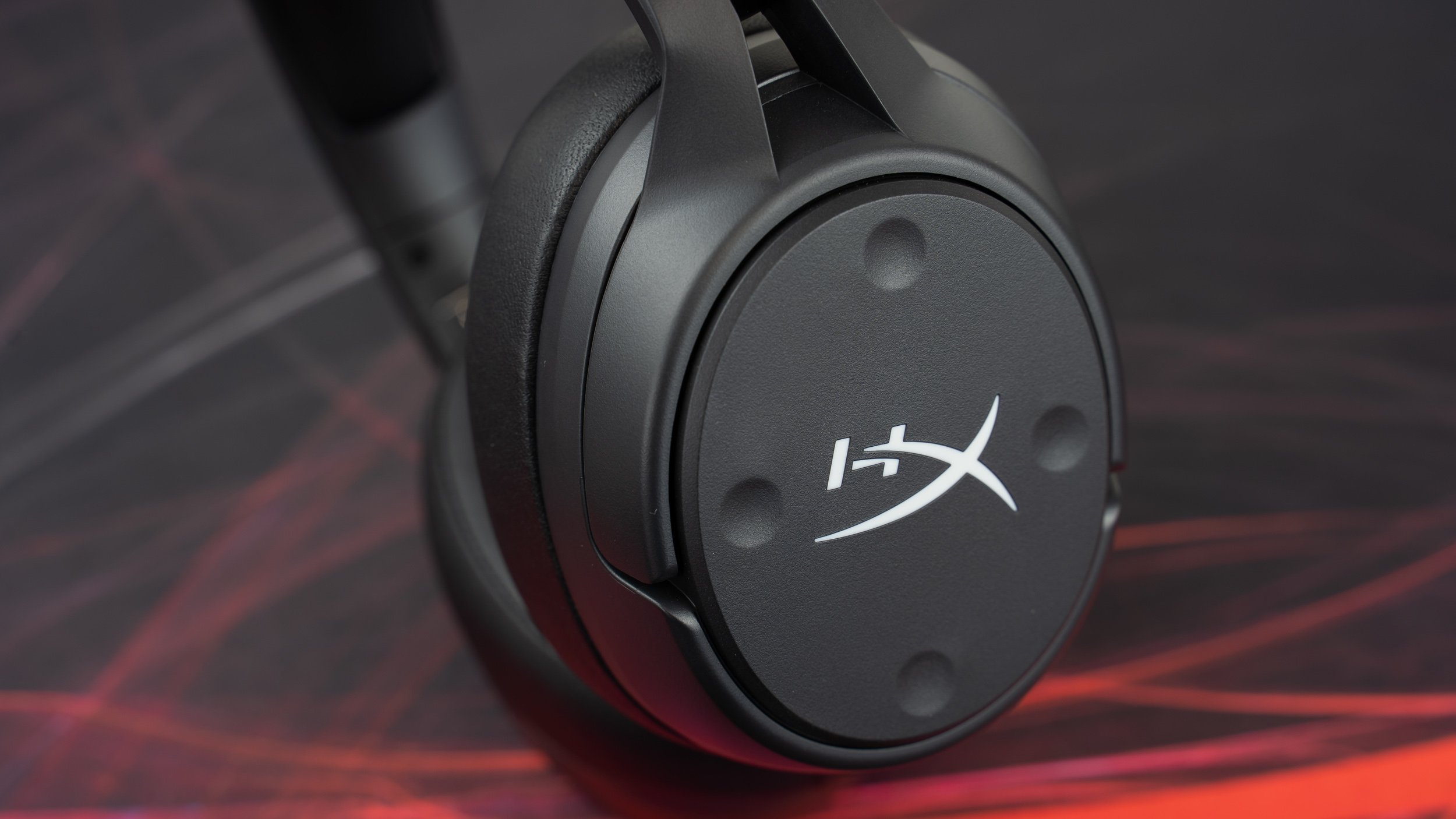
Its design has largely remained unchanged from previous versions. The headset is black and comes with a detachable microphone that can be used with your mobile device via the 3.5mm headphone connector. Unfortunately, no cord is included in the packaging to connect to the jack. By default, the logos on either side of the earcups flash with a blue hue while using the wireless adapter. The illumination can, however, be turned off to save battery life.
The light mixes in nicely with the blue wiring that connects the cans to the headband. Being able to alter the color at your leisure, on the other hand, would be amazing. A blue LED on the wireless adaptor will strobe to signal when the headset’s battery is low. A red ring will emerge around the mouthpiece when you press in on the left earcup, and the microphone will be turned off.
This headset is comfortable to wear on the head and around the ears due to its soft foam cups and leatherette. The earcups can also be rotated 90 degrees to the left or right to give your ears a break or to help you hear what’s going on around you, which is convenient. However, because the earcups were so light and comfortable, I never felt the need to rest my ears while wearing this headset for long periods of time. Although the Cloud Flight Wireless is comfortable, its metal frame can be seen when the headband is adjusted.
My mind wanders back to those old headphone bands that caused my hair to tangle. This was not the case with these headphones, thankfully.
The bulk of the headset’s shell, on the other hand, appears hollow and cheap, as though it wouldn’t be able to resist multiple drops without breaking or fracturing. After trying out the more expensive HyperX Cloud Alpha Wireless ($199.99), which sports pebblestone leatherette, threaded wire, and steel instead of plastic, I was horrified by the quality. However, that headgear is a little more costly.
My favorite feature of the headset is its 30-hour battery life, but I need comfort to get the most use out of it. The Cloud Flight Wireless lasted over four full workdays without needing to be charged right out of the box. I go to work twice a week as of this writing, so the headset had roughly 32 hours of battery life before it died. To save electricity, I didn’t even turn off the RGB, which is rather beautiful.
I wanted to completely drain the battery to see how long it could last on a full charge, but after a few days, I was certain that I’d finish my review before it died. After two weeks and four days on the job, the headset began to beep, signaling its oncoming demise. On the other hand, the cans didn’t officially perish until the end of the day. The headset automatically switches off after a few minutes of inactivity, which I’m sure contributed to its long life.
HyperX Cloud Flight Headset: Compatibility
 The HyperX Cloud Flight Wireless features a 2.4GHz USB dongle for wireless connectivity. With this USB dongle, you can connect your PC to the PlayStation 4 as well as the PlayStation 5. On a docked Switch, you can even play wirelessly with the dongle. Users will need a 3.5mm headphone connection when playing in portable mode. The analog wire is necessary to use this headset with mobile devices because Bluetooth is not available.
There should be a more even distribution of compatibility across the range. The HyperX Cloud Flight is available in three versions, including the Cloud Flight Wireless. All three are compatible to varying degrees. As opposed to Cloud Flight, CloudX Flight is only available for Xbox One. Cloud Flight S can be played on a PC, a PlayStation 4, or a PlayStation 4 Pro. As a result, determining which headset is appropriate for your system might be challenging. I’m expecting better compatibility in HyperX’s future headset range.
Microphone
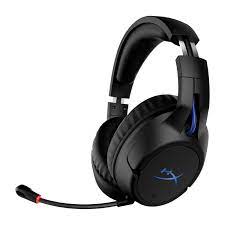
Using the headset’s microphone, I was able to make a call with a colleague. I was advised that the quality was quite poor on the other end. They would have assumed it was just an ordinary laptop microphone if I hadn’t told them I was testing a device.
In the office, I put the noise-canceling capability of the removable bi-directional microphone to the test. When I listened to the audio again, I couldn’t hear anything from the individuals around me. This struck me as particularly impressive, given that the dialogue was taking place directly behind me. My voice was fairly well picked up by the mic during the chat, even with my face mask on. The recording I listened to had a noise behind my voice. Despite the fact that the microphone quality isn’t as good as the best desktop mics, it’s a good choice for audio meetings and PS4 messaging.
Conclusion
The HyperX Cloud Flight Wireless is a fantastic mid-range gaming headset, especially as a replacement for SteelSeries’ Arctis 7P+ on PlayStation. The Flight Wireless has a similar PlayStation appearance thanks to its black and blue color scheme, but it can also blend in better with an office environment than the Arctic.
The Cloud Flight from HyperX also incorporates a bi-directional microphone, making it a viable option for use at work. Because of its lengthy battery life, gamers and office workers both won’t have to worry about charging it till the end of the week in most situations.
Despite my issues regarding sound quality discrepancies between platforms, the headset’s 50 mm Neodymium speakers maintained the sound smooth. The HyperX Cloud Flight Wireless is an excellent mid-range solution, despite its low-cost components and lack of software.


