
Last Updated on November 1, 2026 by Daniel Osakwe
List of the Best Monitor Arms
| Products | Features | Where to Buy |
| AmazonBasics Premium Single Monitor Stand
|
Max monitor size: 32in | Max monitor weight: 25lbs / 11.3kg | Get it on Amazon |
| Ergotron LX Desk Mount LCD Arm
|
Max monitor size: 32in | Max monitor weight: 25lbs / 11.3kg |
Get it on Amazon |
| 3M Dual-Swivel Monitor Arm
|
Max monitor size: 27in | Max monitor weight: 13.6kg / 30lbs | Get it on Amazon |
| Vari Dual-Monitor Arm
|
Max monitor size: 24in per arm | Max monitor weight: 19.8lbs / 8.9kg per arm | Get it on Amazon |
| Ergotron LX Dual Stacking Arm
|
Max monitor size: 24 inches | Max monitor weight : 20 lbs (9.1 kg) per arm |
Get it on Amazon |
| NB North Bayou Monitor Desk Mount Stand
|
Max monitor size: 30in | Max monitor weight: 19.8lbs / 8.9kg | Get it on Amazon |
| Ergotron LX Desk Mount LCD Monitor Arm, Tall Pole
|
Max monitor size: 34in | Max monitor weight: 25lbs / 11.3kg |
Get it on Amazon |
| Kanto DMS2000 Dual-Monitor Desktop Mount
|
Max monitor size: 32″ | Max monitor weight: 16.5lbs / 7.5kg (per arm) | Get it on Amazon |
| Chief Kontour K1D Dynamic Desk Clamp Mount
|
Max monitor size: 30″ | Max monitor weight: 25lbs / 11.3k | Get it on Amazon |
| HUANUO Dual Monitor Mount
|
Max monitor size: 27in | Max monitor weight: 17 pounds | Get it on Amazon |
Searching for the best monitor arms for ultra wide screens or compact screen doesn’t have to be a hustle. Although, there are lots of monitor arms out there in the market, but, we’ve taken time to research, tested, and confirmed these 10 monitor arms as the best monitor arms money can buy.
On our list, we have the best dual monitor arms, the best single monitor arms, and also the best monitor arm desk mounts. So, irrespective of the type of monitor arm mount you’re looking for, we’ve got them for you.
So, without further ado, let’s take a look at the 10 best monitor arms we’ve discovered for you below.
Table of Contents
Buyers Guide: What to Look for in Monitor Arms Before Buying
AmazonBasics Premium Single Monitor Stand
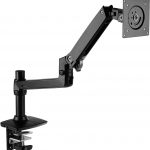
Weight: 3.54kg / 7.8lbs | Dimensions: 65 x 15.2 x 41.1cm / 25.6 x 6 x 16.2in | Max monitor size: 32in | Max monitor weight: 25lbs / 11.3kg
| Pros | Cons |
| Flexible | Cable management system limited |
| Sturdy |

Best Monitor Arm Desk Mounts
Ergotron LX Desk Mount LCD Arm
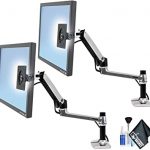
Weight: 3.6kg / 8lbs | Dimensions: 45.72 x 26.92 x 17.6cm / 18 x 10.6 x 6.93in | Max monitor size: 32in | Max monitor weight: 25lbs / 11.3kg
A nearby sprinter up in our rundown of the best monitor arms, the Ergotron LX Desk Mount Arm checks all our boxes. Like the Amazon Basics model, it’s lightweight while as yet being durable; it’s anything but difficult to set up; and you can overlay it away.
You can go through it to stretch out your monitor to 25in/64cm, and the height of the screen up to 13in. The cable management framework is excellent, the general plan is stylishly satisfying, and in truth the solitary dark detriment for it is that it’s somewhat more costly than different models.
| Pros | Cons |
| Good cable management | Expensive |
| Sturdy |
NB North Bayou Monitor Desk Mount Stand
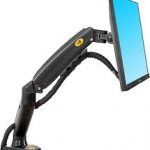
Try not to need to spend a lot of cash on a monitor arm, yet at the same time need something respectable? At that point we suggest, which costs a simple portion of the cost of different models on this rundown. The gаs spring framework makes it both tough and simple to change.
You can tilt your screen among +35 and – 50 degrees, pivot it from – 30 to +85 degrees, turn your showcase among scene and representation, and offer your screen with others through the turn work. It tends to be introduced by means of clasp or grommet, and generally speaking we’re astonished by the amazing worth this monitor arm speaks to.
| Pros | Cons |
| Flexible | Can’t rotate 90 degrees |
| Affordable |

Ergotron LX Desk Mount LCD Monitor Arm
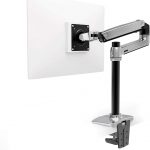
In the event that you’re in excess of six feet tall, at that point even the best monitor arms won’t for the most part meet your requirements. Fortunately, Ergotron has a bundle that will take care of you.
Its Ergotron LX Desk Mount LCD Monitor Arm Tall Pole adds 6.25in/15.8cm of pole length so you’re ready to raise your screen essentially higher. Past that, it accompanies all the specs and advantages of the more limited model, as recorded already, but at a greater cost.
| Pros | Cons |
| Durable | Expensive |
| Flexible |
Chief Kontour K1D Dynamic Desk Clamp Mount
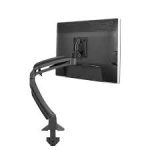
The smooth, painstakingly designed Kontour K1D sure looks like it, and this monitor arm is a long way from simply style over substance. Inside the fashioned aluminum arms gas springs empower easy, totally adjusted tallness change which can be effectively tweaked for various monitor loads.
You get an immense 33cm of stature movability, while the monitor backplate can tilt 75 degrees in reverse and 10 degrees down. Cables are flawlessly steered through the arm, hidden by instrument less covers. The Kontour K1D can uphold up to a 30-inch screen weighing 11.3kg, with its mounting plate viable with 75 x 75 and 100 x 100mm opening examples.
It cinches directly to a work area with a tabletop thickness somewhere in the range of 1.3cm and 6.4cm.
| Pros | Cons |
| Suitable for larger monitors | More expensive than most rivals |
| Excellent range of movement |
Best Dual Monitor Arms
3M Dual Swivel Monitor Arm
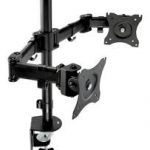
Weight: 3.38kg / 7.45lbs | Dimensions: 46.7 x 22.9 x 13.8cm / 18 x 10.6 x 6.93in | Max monitor size: 27in | Max monitor weight: 13.6kg / 30lbs
On the off chance that your screen is especially hefty, at that point the 3M Dual-Swivel Monitor Arm is extraordinary compared to other screen arms for your necessities available today, with a weight limit of 30lbs/1.6kg. This tough and dependable model can be set up in two distinct manners: either clip it to a work area that is up to 4.25in thick or utilize the grommet mount to fits work areas up to 2.25in thick.
Whenever you’re set up, the monitor arm gives 7.5in/19cm of stature movability, expands 19.5in/49.5cm from the base, and allows you to pivot your screen from scene to picture. The best part is that it’s empty so you can run your wires through it, making for an exceptionally clean cable management arrangement. On the negative side, it’s a little fiddly to gather by and by.
| Pros | Cons |
| Great cable management | Challenging to assemble |
| Durable |
Vari Dual Monitor Arm
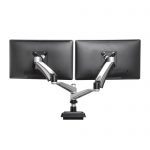
Need to mount two screens? At that point the Vari Dual Monitor Arm is our pick of the best dual monitor arms for you. Highlighting two arms, every one of which can uphold up to 19.8 lbs/8.9kg, this model offers a stature change scope of 12in, and a greatest arm expansion of 29in.
What’s more, considerably more thrillingly, you can turn your screens an entire 360 degrees. Intended to be utilized with any desktop up to 2in thick, this model is in fact somewhat precarious to gather, however in any event the case incorporates instruments to assist you with doing. There’s an inherent cable management cut, as well.
| Pros | Cons |
| Flexible | Expensive |
| Supports two monitors | Challenging to assemble |
Ergotron LX Dual Stacking Arm
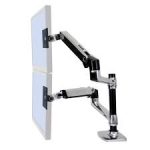
In the event that you’d prefer to have the choice to stack your screens on top of one another just as next to each other then the Ergotron LX Dual Stacking Arm could be the monitor arm for you. It has stature change of up to 33cm, and there’s a tall choice accessible in the event that you need it to change even further.
The foldable arms conceal pleasantly when you’re not utilizing them. In the event that you need to go all-out with a full arrangement, at that point buying two arms and different frill permits you to design up to four monitor on the double.
| Pros | Cons |
| Stack multiple monitors | Expensive |
| Durable design |
Kanto DMS2000
In the relatively recent past 4K was the next huge thing and a 4K monitor would slow you down far too much. Presently 8K is becoming the dominant focal point, with an expanding number of cameras equipped for shooting this huge 7680 x 4320 resolution. 8K monitors are as yet an extraordinariness, however this Dell show is all around evaluated for such forefront tech. In spite of this being a huge 31.5 inch display, containing what might be compared to 33.2 megapixels implies you get a curiously high pixel thickness of 280 ppi, bringing about a close Retina impact.
Furthermore, it’s not just that feature resolution figure that intrigues. You additionally get five star color space inclusion, with 100% Rec. 709 capacity and a colossally excellent 98% DCI-P3 inclusion. Plant color adjustment guarantees a Delta-E color precision of under 2, while a cutting edge, thin bezel case configuration implies this screen looks like it in any event, when it’s turned off.
The solitary expected issue here is you’ll require a genuine force to be reckoned with of a PC fitted with a first rate graphic card to siphon this numerous pixels to the screen without stammering.
| Pros | Cons |
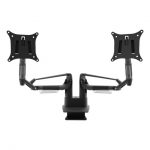
| Can support two 32-inch monitors | Expensive |
| Premium build | Limited load capacity per arm |
HUANUO Dual Monitor Mount
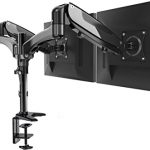
Weight: 17 pounds| Dimensions: 65 x 15.2 x 41.1cm / 25.6 x 6 x 16.2in | Max monitor size: 27in | Max monitor weight: 17 pounds
This deal evaluated monitor mount is the best generally for clients who need to handily mount and change two monitors. With the ability to hold two 15 to 27-inch screens, this mount will let loose bunches of significant work area space. Tilt and turn each monitor autonomously to accomplish the most open to working positions and take out screen glare.
This mount accompanies a c-brace for simple establishment and screen cable cut onto the arm, giving a clean answer for every one of those wires. Note that each arm just holds 17 pounds, however, so this probably won’t be the most ideal decision on the off chance that you are utilizing exceptionally huge or hefty monitors.
| Pros | Cons |
| Durable | Pricey |
| Good cable management |
How We Picked
We relied on the opinion of experts and feedback from clients based on three major factors: The best single monitor arm, Dual monitor arms and the best monitor arm desk mount.
Before publishing this post, more facts and data about these monitor arms were gotten from further research and online reviews (both positive & negative). With the result and feedback we got, we were able to rank each product according to the standard we set.
If you observe the reviews carefully, you’ll see that each monitor arm mount has been carefully categorized according to our research result. However, take note that the monitor arms that didn’t meet our standard were not included among this list.
Frequently Asked Questions
Are monitor arms worth it?
Monitor arms can help decrease neck, back, and eye strain and the agony related to such uneasiness. Notwithstanding medical advantages, monitor arms make extra work area space by killing the (frequently huge and cumbersome) screen stand from your workspace.
Do monitor arms save space?
Not exclusively monitor mounts save space, they likewise let you change your screen depending on your particular requests. Regardless of whether you work at home or at an office, these monitor arm mounts make it simpler to deck out your work zone and add some genuinely necessary comfort. In addition, they can likewise help decrease eye weakness.
How do I know if my monitor is VESA compatible?
VESA-consistent screens keep an industry-standard mounting framework. There will be a 75mm (about 3″) or 100mm (about 4″) square screw opening example on the rear of your screen. In the event that you don’t see one, eliminate the base from the screen (see your screen’s User’s Guide for directions on the best way to do this).
Conclusion
Having read our review on the best monitor arms, searching for one wouldn’t be as difficult as before. However, ensure you check all the necessary features, pros, and cons of your preferred choice before purchasing.


