
Last Updated on November 1, 2026 by Daniel Osakwe
Newest Dell Monitors
| Products | Features | Where to buy (new) | Where to buy (pre-owned) |
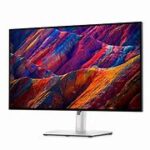
| Dell UltraSharp U2723QE
|
Size: 27-inch| Ratio: 16:9| Resolution: 3840 x 2160 | Get it on Amazon | Get it on eBay. |
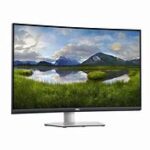
| Dell 4K S3221QS
|
Size: 31.5 inch| Resolution: 3840 x 2160| Aspect ratio: 16:9 | Get it on Amazon | Get it on eBay. |
| Dell Ultrasharp U3219Q
|
Size: 31.5 inch| Resolution: 3840 x 2160| Aspect ratio: 16:9 | Get it on Amazon | Get it on eBay |
| Dell C1422H
|
Display size: 14 inches| Resolution: 1920 x 1080| Panel type: IPS. | Get it on Amazon | Get it on eBay. |
| Dell UltraSharp UP3218K
|
Size: 31.5 inch| Resolution: 7680 x 4320| Aspect ratio: 16:9 | Get it on Amazon | Get it on eBay |
| Dell UltraSharp U4021QW
|
Size: 40-inch| Resolution: 5120 x 2160| Aspect ratio: 21:9 | Get it on Amazon | Get it on eBay. |
| Alienware AW2521H
|
Size: 24.5 inch| Resolution: 1920 x 1080| Aspect ratio: 16:9 | Get it on Amazon | Get it on eBay. |
| Dell UltraSharp U2720Q
|
Size: 27 inch| Resolution: 3840 x 2160| Aspect ratio: 16:9 | Get it on Amazon | Get it on eBay. |
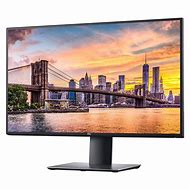
Dell has recently released several new monitor models, each offering unique features and improvements in performance. The Dell UltraSharp 32 HDR Premier Color Monitor (UP3221Q) boasts a stunning 4K resolution with a peak brightness of 1,000 nits and 2,000 mini-LED local dimming zones for exceptional HDR performance. The Dell 27 Gaming Monitor (S2721DGF) provides an impressive 165Hz refresh rate and 1ms response time, ideal for fast-paced gaming.
Additionally, the Dell 34 Curved Video Conferencing Monitor (C3422WE) has a built-in 5MP camera and dual 5W speakers, making it an excellent choice for remote work and video conferencing. Overall, Dell’s newest monitors offer a wide range of features and capabilities to suit various needs and preferences.
The U2723QE is a 27-inch display with impressive features including 98% coverage of the DCI-P3 color space, 4K resolution, USB-C connectivity with Power Delivery, and even IPS Black technology to increase contrast and provide deeper black depth. In our research, we discovered that Dell’s top specifications consistently produce exceptional image quality outcomes.
This display is absolutely worth the money and is defiantly worthy of serious consideration if you’re in the market for a high-performing monitor for image or video editing. It needs to have substantial DCI-P3 color space coverage and USB-C connectivity with Power Delivery.
| Pros | Cons |
| Fair price | AdobeRGB coverage could be better. |
| Excellent color accuracy | No extras like a hood or remote dial |

The sleek yet trendy design of the Dell 4K S3221QS is probably the first thing you’ll notice about it. It fits wonderfully in an office but also looks fantastic in a creative setting. Yet, if you look closer, you’ll see that it has a lot more to offer. Because to its 300-nit brightness, good color gamut, and impressive 3000:1 contrast ratio, the 4K panel produces gorgeous graphics.
The screen is terrific for working, watching, creating, and even playing on, and it also has great multitasking options if you want to do several of those things at once. That’s not even mentioning the 1800R curvature, which makes everything immersive and smooth as hell. What’s best? It won’t cost you more than $500, making it affordable.
| Pros | Cons |
| Fantastic looking screen |
Limited HDR |
| Useful multitasking features | No USB-C connectivity. |
For businesspeople, Dell might emphasize its InfinityEdge and multitasking features, but the Dell Ultrasharp U3219Q is a great option for creative professionals as well. Photographers, graphic designers, and even broadcast video editors are included in that. For those users, there are several features available, such as the 400-nit brightness, the DeltaE 2 color accuracy, and the 99% sRGB and 99% Rec. 709 color gamuts.
If you’re interested in cinematic video editing, it has a 95% DCI-P3 rating. Its DisplayHDR 400 VESA accreditation will be valued by those who combine HDR videos. If you desire a simpler, more basic arrangement, it also has a built-in KVM (Keyboard, Video, and Mouse) switch and USB-C connector with Power Delivery.
| Pros | Cons |
| Great color accuracy | DCI-P3 color accuracy could be better. |
| Great ergonomics |
4. Dell C1422H
Even though the C1422H is the sole portable monitor offered by Dell, it is one of the best we’ve tested. You receive a 14-inch, 16:9 widescreen displays with a roomy 1920 x 1080 Full HD resolution. That is sufficient to create 158 ppi on a panel this size, which is almost as sharp as a 27-inch monitor running at 4K.
The C1422H’s IPS LCD panel makes it the perfect choice for discerning image or video editors: No matter the viewing angle, IPS LCD technology offers far better color and contrast consistency than TN or even VA-based LCD displays. It is incredibly lightweight at 590g and thin at just 1.43cm at its thickest. This is a monitor that fits comfortably next to your laptop in a bag, which makes it very portable.
| Pros | Cons |
| Super simple and portable | Relatively pricey |
| Surprising color accuracy |
Although 8K content is not all that prevalent today, 8K videos are available for viewing, indicating that 8K content creators are producing them. 8K monitors, like the Dell UltraSharp UP3218K, can help with that. This isn’t exactly the kind of peripheral to splurge on to future-proof your system, at least not yet, with a price tag of almost $3,500.
Only invest if you can fully utilize the 7680 x 4320 resolution, which is likely only the case if you’re producing 5K and 8K material. If you do purchase it, rest certain that you will receive superb color accuracy, superior picture quality, and all the necessary industry-standard color coverage, including 100% AdobeRGB, 100% Rec. 709, and 98% DCI-P3.
| Pros | Cons |
| Incredible 8K resolution | Requires 2 DisplayPorts |
| Gorgeous colors |
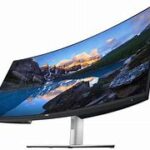
You can’t go wrong with the Dell UltraSharp U4021QW if you’re looking for an ultrawide display; its superb picture quality, abundance of connections, and fantastic feature set are just the beginning. Of course, the ultrawide format is the main attraction here, and when combined with the 2,500R curvature, it is even more remarkable. But there are other aspects of this that creators can value.
Every photographer and video editor needs it since it offers 100% sRGB, 98% DCI-P3, and 100% Rec. 709 color coverage. Also, it has RJ45 and Thunderbolt 3 connectivity for quick data and power transfer as well as a dependable and quick internet connection. You can delve further to uncover a wealth of additional features.
| Pros | Cons |
| Tons of features | Build could be better. |
| Can be used as a connectivity hub | Too slow for gaming. |
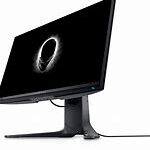
Although this Dell subsidiary’s Alienware line isn’t exactly inexpensive, it does provide some mid-range solutions for gamers that demand the finest. We have the Alienware AW2521H monitor, for instance, which has a sub-$700 price tag and great performance as well as a lightning-fast refresh rate.
The 360Hz refresh rate is clearly the standout feature here, but additional features like DisplayHDR 400, 1ms GtG response time, and Nvidia’s Reflex Latency Analyzer could also help you play better and potentially even reach the top of the leaderboard. Yet, because it has a 1080p display, it is more appropriate for gamers who value speed over razor-sharp visuals.
| Pros | Cons |
| Blazing fast | Not for budget gamers |
| Attractive and premium build | Button layout could be better. |
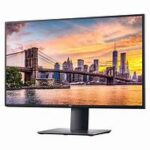
The Dell UltraSharp U2720Q is a great (and reasonably priced) mid-range alternative for the rest of us who want a 4K panel for daily general or office use. It’s not exactly a budget option. This display provides a wide 99% sRGB, 95% DCI-P3, and 99% Rec 709 color coverage as well as 300 nits of brightness, which are all excellent attributes.
Also, it features a respectable number of connectors, including a USB-C port with 90W power delivery, so you can connect your laptop to enlarge your screen’s size and charge it at the same time. Also, its ergonomic stand contributes to your comfort while viewing.
| Pros | Cons |
| Affordable for a 4K monitor | Missing some features like speakers and ethernet port. |
| Lots of adjustability |
Buying Guide: Factors to Consider Before Buying any Monitor.
When shopping for a Dell monitor, there are a few important factors to consider getting the best value for your money. Dell offers a variety of monitors with different features and specifications, so it’s important to know what to look for before you buy.
Size and Resolution: The size and resolution of your monitor are key factors in determining the quality of the displayed image. Dell offers monitors in different sizes, from the small 21.5 inch to the large 49 inch.The resolution also varies from 1080p (Full HD) to 4K Ultra HD. If you use the monitor for simple office work, a 24-inch full HD monitor can be sufficient. However, if you’re a designer, photographer, or gamer, you may need a larger, higher-resolution monitor.
Refresh Rate: The monitor’s refresh rate determines how often the screen is updated with new data. A higher refresh rate means smoother motion and less motion blur.For gamers, a high refresh rate monitor is essential for smooth and responsive gameplay. Dell offers monitors with refresh rates of up to 240 Hz, perfect for serious gamers.
Panel Type: There are three panel types used in monitors: TN, IPS, and VA. TN panels are the most popular and cheapest, but they have poor color accuracy and narrow viewing angles. IPS panels offer better color accuracy and wider viewing angles, but are more expensive.VA panels offer high contrast and deep blacks, but have a slower response time. When choosing a Dell monitor, consider your usage and choose the screen type that best suits your needs.
Connectivity: Options Dell monitors come with a variety of connectivity options including HDMI, DisplayPort and USB-C. Make sure the monitor you select has the correct ports to connect your devices. If you have multiple devices, consider a monitor with multiple ports or a built-in USB hub.
Ergonomics: Ergonomics of the monitor is essential for comfortable use. Look for a monitor that has height, tilt, and rotation adjustments. This allows you to adjust the monitor to your preferred viewing angle and reduce strain on your neck and back. In addition, some Dell monitors come with a VESA mount that allows you to mount the monitor on a wall or monitor arm.
Price: Finally, consider your budget when choosing a Dell monitor. Dell offers monitors in a variety of price ranges, so it’s important to choose a monitor that fits your budget. Keep in mind that the more expensive monitor may not be the best for you, and a cheaper monitor may not have all the features you need. Make sure you’re getting the best value for your money by choosing a monitor that fits your needs and budget.
The Verdict
In summary, factors to consider when purchasing a Dell monitor include size and resolution, refresh rate, screen type, connectivity, ergonomics and price. With these factors in mind, you can choose the monitor that offers the best value for money and meets your needs.


