Last Updated on November 1, 2026 by Daniel Osakwe
The Netgear CM500 is one of the best-supported cable modems currently available. It can be found on popular low-cost internet providers, and for a good reason too. Let’s take a look at what makes it stand out from the competition, and why this modem can make your life easier.
In terms of performance, the Netgear CM500 is just as good as some more expensive products we tested, especially if your internet connection offers speeds up to 300 Mbps or less. It saves you a nice chunk of money, unlike Comcast Xfinity, which allows you to rent networking equipment for $11 per month.
The device is compatible with the vast majority of major cable Internet service providers (ISPs), such as Comcast Xfinity, Spectrum, and Cox.
Table of Contents
Netgear CM500: Performance
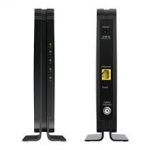
Netgear’s CM500 performed well on a network stressed by four bandwidth-hogging applications simultaneously running on a PC, Xbox One, and PS4 Pro, as well as 4K Netflix streaming. Comcast Xfinity’s 400 Mbps package performed admirably in our tests, despite being recommended for packages that advertise speeds below 300 Mbps. Nevertheless, if you only require a high-speed modem, we suggest that you use the Motorola MB7621 instead.
It can handle higher speeds and is a little more powerful. It has 16 x 4 bonded downstream and upstream channels, resulting in theoretical maximum speeds of up to 680 Mbps. While the CM500’s theoretical max speed is rarely met in actual use, it works well with internet speeds of 300Mbps and less, though our tests showed it also works well with a 400Mbps connection.
The CM500 is a good modem, even if your download and upload speeds are slower than 300 Mbps. It is backward compatible with previous DOCSIS (Data over Cable Service Interface Specification) standards.
Netgear CM500: Features
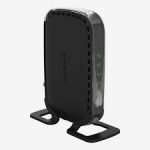
A cable and quick-start instructions are included with the CM500 along with all of the modems we tested. Although it lacks some of the features and accessories we like in other products, like a power button or a wrench for the coaxial cable, it still works fine without them.
If it is needed to be turned off, make sure it is located in an easily accessible area. The modem’s operation can be monitored by using the front-facing LED indicators with lights for power, upstream data, downstream data, internet connection, and LAN.
For advanced modem diagnostics or management, Netgear’s online modem interface can be accessed. It is easy to use and very useful.
Netgear CM500: Design
This sleek, slender device comes in black color. you can put it among the other expensive networking equipment in your home or office. However, it has two disadvantages. We found the CM500 to be less ventilated than some of the other modems we tested, leading to higher operating temperatures.
When the modem is placed around too many heat-generating devices or not given enough space to cool off, it can become overheated, affecting its functionality. Two issues are purely cosmetic in nature. Its glossy black exterior easily picks up smudges and shows dirt and dust, since the modem is made of shiny plastic.
| Pros | Cons |
| Within seven months, the CM500 will pay for itself and save you money over renting a modem. | We found that this modem runs slightly hotter than other modems we tested, so be sure to place it somewhere well ventilated. |
| Sleek design |


The Verdict
The Netgear CM500 cable modem offers high-speed internet for affordable prices, providing speeds of up to 300 Mbps. While it costs less than many modems on the market, it performs just as well, and its Netgear warranty ensures that you can at least get your money’s worth out of the modem, though it will probably last a very long time.