Last Updated on November 1, 2026 by Daniel Osakwe
The Acer Chromebox CXI3 is a fascinating piece of hardware. You could say that it’s an early desktop PC, and it’s true that the CXI3 is very similar to the original Chromebox.
However, the CXI3 has a few improvements over the original Chromebox. It comes with a much faster processor, a better video card, a faster hard drive, and a much smaller footprint.
Aimed at education and professionals, the Chromebox CX13 is the best mini PC with Chrome-OS available, but it comes with a substantially higher price tag than you might expect for a category that started out with such low pricing.
So, is the new CXI3 worth the upgrade? Let’s find out.
Table of Contents
What is the price of the Chromebox CXI3?
The CXI3-I58GKM we reviewed is a good example of CXI3’s line of products. An Intel Core i5-8250U CPU, 8GB of RAM, and a 64GB SSD are included in this $519 model. In my testing, I found that most users wouldn’t need to upgrade the RAM to 16GB after purchase.
In addition, there are three other configurations, each with its own processor, memory, and storage. Featuring a dual-core Celeron 3865U processor, 4GB of RAM, and a 32GB SSD, the CXI3-4GKM is available for $249. Our final option is the $459 CXI3-I38GKM, with the same Intel Core i3-7130 CPU, 8GB of memory, and 64GB of storage as our review unit. CXI3-I716GKM is the most powerful computer with an Intel Core i7-8550U processor, 16GB of RAM, and a 64GB SSD.


Acer Chromebox CXI3: Design
- Portable
- Lightweight
- Nice and attractive color

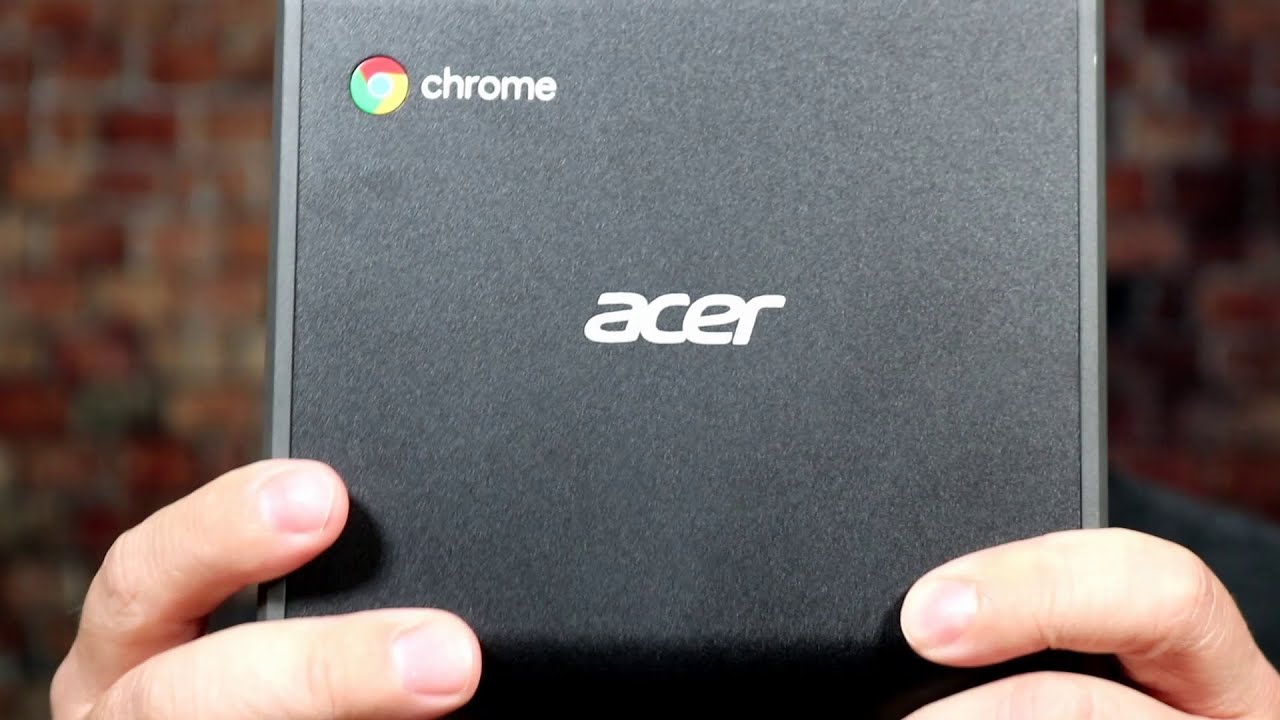
With dimensions of 5.9 x 5.9 x 1.6 inches and a weight of 1.2 pounds, the CXI3 is compact and light. The CXI3 chassis is oval-shaped compared to past Chromeboxes, such as the Asus Chromebox and other past Chromeboxes.
Its chassis mostly consists of black plastic with dark-gray faceplates. It can be placed vertically with a stand included or mounted on the back of a monitor using the included mount.
Acer Chromebox CXI3: Ports
- HDMI
- Ethernet
- USB 3.0
- MicroSD
- Headphone jack

There are two USB 3.0 ports, a microSD card slot, and a headphone jack on the front of the small chassis, alongside a power button.
On the back of the Chromebox, there is a Kensington lock slot, a gigabit Ethernet port, three USB 3.0 ports, an HDMI output, and a USB Type-C port.
For wireless connectivity, the CXI3 comes with Bluetooth 4.2 and 802.11ac Wi-Fi.
Acer Chromebox CXI3: Performance
- Speedy performance
- Upgradable ram
- Easy multitasking

Chromebox CXI3 is equipped with an Intel Core i5 processor, 8GB of RAM, and a 64GB eMMC for local storage. In contrast to most Chrome-based desktops and laptops, these specs are impressive since Chrome is built for low-end hardware with little RAM and local storage needed. However, you’ll feel the performance. While streaming a 4K video, I was able to switch between 20 open browser tabs without a hiccup, and web browsing was snappy and responsive.
The real-world experience was similar. As I researched and wrote the bulk of this review on the CXI3, I played a variety of online games – starting from Doggonauts to Doom – and watch live programming on Pluto TV. My performance was flawless, and I encountered no problems multitasking between multiple apps.
Since Chromeboxes run on Google’s Chrome OS, we can’t run much of our test software on them. This limits how we can perform performance tests. The CXI3 scored 168.22 out of 180 points (better is higher) on the online performance test JetStream. It is twice as high as the Asus Chromebox (75.6) and significantly higher than the Azulle Access Plus (45.8) and Ockel Sirius B Black Cherry (38). With an Intel Core i5 processor, the Lenovo ThinkCentre M710q Tiny (158.25) came closest to matching this score.
We use WebGL Aquarium, a simulation that renders hundreds of floating fish, to test graphics on Chrome OS products. The CXI3 is able to render 1,000 fps at a time at 60 frames per second. We dropped the frame rate to 49 fps for 5,000 fish, and to 28 fps for 10,000 fish. In terms of graphics performance, this is comparable to that of traditional Windows PCs.
According to Lenovo, the ThinkCentre M710q Tiny was only able to run 1,000 fish at 48 frames per second and 10,000 fish at 21 frames per second. With 30 fps for 1,000 fish and 19 fps for 10,000 fish, the Asus Chromebox performed even worse. The Ockel Sirius B Black Cherry stuttered at 1,000 fish (15 frames per second) and ground to a halt at 10,000 (3 frames per second).
Acer Chromebox CXI3: Heat
- Runs hot easily
- Needs a good cooling system
Initially, I was concerned about heat management due to the small size and powerful hardware of the CXI3. Chromeboxes even with less power have been known to get hot under moderate workloads, but the CXI3 did not appear to suffer this issue.
After running our benchmark tests and viewing several tabs of online content, including streaming video, the Chromebox’s external temperature remained at 84 degrees Fahrenheit. We find anything above 95 degrees uncomfortable, though desktop computers are less susceptible to that.
Acer Chromebox CXI3: Software and warranty
- Cloud-based software
- Reliable
- Efficient
The CXI3 runs Google Chrome, so there are some key differences between Windows and macOS. Most importantly, Chrome OS is optimized for online use by replacing hard drives and locally installed software with cloud-based storage, online apps, and extensions. It may not be a big adjustment for you if you already do most things online.
If you’re accustomed to Microsoft products like Word, Excel, and PowerPoint, the switch to Google’s cloud-based equivalents – Docs, Sheets, and Slides – may be jarring for you. The official apps for Word and other Office products can be downloaded through the Google Play store; Chrome also supports Android apps.
Nonetheless, most basic PC functions are still available. With Google Office, Microsoft Office is effectively replaced, and similar replacements can be found for Adobe Photoshop, with apps like Pixlr and Fotor offering similar functionality. The same companies usually offer online versions of these apps.
Pros and Cons
| Pros | Cons |
| Cools down when running | Chrome OS has limitations |
| Performs well | Pricey |
| The compact design makes it easy to mount or tuck away | |
| Ports are plentiful |
Acer Chromebox CXI3: Verdict
Among Chrome OS desktop versions, the Acer Chromebox CXI3 may be the best. Even though it’s not hard to be a big fish in such a small pond (only a handful of Chromeboxes have ever been released), the CXI3 still stands out thanks to its solid performance, decent port selection, and a design that offers great heat management.
Although the CXI3 is definitely better than the Asus Chromebox, it also costs three times as much. Even though it is less expensive than the Lenovo ThinkCentre M710q Tiny, the overall value proposition changes with Windows.